What’s actually slowing this PC down?
Pick the symptom - the matching free tool is one click away.
ThatPainter is reader-supported. When you buy through links on our site, we may earn an affiliate commission. Learn More
As an Amazon Associate I earn from qualifying purchases.
FLORA is a browser-based creative workspace that combines AI text, image, video, editing, and collaboration tools on a node-based visual canvas. Its main idea is not simply to generate another image. It is to preserve the creative process around that image: the brief, references, variations, edits, video experiments, decisions, and reusable workflows.
That makes FLORA most interesting for art directors, designers, filmmakers, fashion and product teams, agencies, and other creators who explore many directions at once. It is less clearly a replacement for Photoshop, After Effects, Premiere, Blender, or a specialist image generator.
Popular on Amazon

- Wacom Intuos Small Graphics Drawing Tablet: Enjoy industry leading tablet performance in superior control and precision with Wacom's EMR, battery free technology that feels like pen on paper
- Works With All Software: Wacom Intuos tablet can be used in any software program to explore new facets of digital creativity; draw, paint, edit photos/videos, create designs, and mark up documents
- What the Professionals Use: Wacom's industry leading pen technology and pen to paper feeling makes it the preferred drawing tablet of professional graphic designers
- Software and Training Included: Only Wacom gives you software with every purchase. Register your Intuos tablet and gain access to some of the best creative software and Wacom's online training
- Wacom is the Global Leader in Drawing Tablet and Displays: For over 40 years in pen display and tablet market, you can trust that Wacom to help you bring your vision, ideas and creativity to life
What FLORA is trying to solve
FLORA positions itself between two familiar approaches to creative work. Conventional applications offer extensive control, but they can involve repetitive production steps and steep learning curves. Standalone generative-AI tools are fast, but their prompts, references, outputs, and revisions often remain scattered across separate services.
FLORA’s proposed solution is a shared visual environment. Instead of moving between an image generator, a video tool, a prompt notebook, and a collaboration app, a creator can place those steps on one open-ended canvas and connect them. FLORA describes the goal as giving creative professionals control over a process rather than producing isolated AI outputs. See the company’s explanation in its product and funding announcement.
The distinction matters. FLORA is best understood as a creative workflow layer and model-aggregation workspace, not as a fully autonomous AI designer.
The Tool Desk
Outbyte Driver Updater FREEFix the driver behind crashes, sound loss and screen glitchesFind Drivers →Outbyte PC Repair FREERepair Windows errors before they cause bigger problemsFix Now →What “infinite canvas” means in practice
The “infinite” part primarily describes the workspace. Users can spawn blocks, arrange them spatially, connect them, branch experiments, and keep multiple creative directions visible together. It does not mean unlimited computing, unlimited generations, or unlimited finished assets.
A canvas might contain:
- A text block holding a campaign brief or visual direction.
- Several image-generation blocks exploring different compositions.
- Reference or editing blocks that modify a selected concept.
- Video blocks that animate approved stills.
- Labels, annotations, and branches showing why a direction was accepted or rejected.
- A saved technique that turns a successful process into something reusable.
FLORA’s canvas documentation describes connecting blocks by dragging from a connection handle. Its examples include sending text outputs to image blocks and image outputs to video blocks. Exact controls and reference behavior can vary by model and may change as the interface develops.
The practical advantage is context. A team can see the source prompt, reference image, alternatives, and downstream motion tests in one map instead of reconstructing the history from browser tabs and chat logs.
Also popular on Amazon

- Word-first 16K Pressure Levels: The upgraded stylus features 16,384 levels of pressure sensitivity and supports up to 60 degrees of tilt, delivering smoother lines and shading for a natural drawing experience. With no battery or charging needed, it operates like a real pen, making it easy for beginners to create effortlessly. This functionality helps novice artists develop their skills and explore their creativity without the intimidation of complex tools
- Designed for Beginners: This drawing pad desinged with 8 customizable shortcuts for both right and left-hand users, express keys create a highly ergonomic and convenient work platform
- Perfectly Adapted for Android: The XPPen Deco 01 V3 art tablet supports connections with Android devices running version 10.0 and above. It is recommended to download the XPPen Tools Android application, which adapts to your smartphone's screen aspect ratio, ensuring accurate mapping. It also supports mapping on Android screens with different aspect ratios in portrait mode
- Large Drawing Space, Bigger Bold Inspiration: This expansive drawing pad has10 x 6.25-inch helps you break through the limit between shortcut keys and drawing area
- Easy Connectivity for Beginners: The Deco 01 V3 offers USB-C to USB-C connectivity, plus adapters for USB C. This ensures easy connection to various devices, allowing beginner artists to set up quickly and focus on their creativity without compatibility concerns. Whether using a laptop, tablet, or desktop, the Deco 01 V3 provides a seamless experience, making it an ideal choice for those just starting their digital art journey
A typical FLORA workflow
Imagine a team developing a painted-looking launch campaign for a new product.
Recommended Free Tools
- Start with the brief. Put the campaign idea, audience, product requirements, and visual references in a text block.
- Generate directions. Create several image concepts with different compositions, palettes, lighting treatments, or degrees of abstraction.
- Branch the strongest ideas. Produce alternate product placements, backgrounds, styles, and crops without losing the original versions.
- Edit and guide. Feed selected images into image-editing or reference-guided blocks to adjust details or preserve important visual elements.
- Test motion. Send approved stills into image-to-video or video-generation blocks and compare multiple camera or movement treatments.
- Review together. Add labels and annotations so collaborators can identify preferred options and explain decisions.
- Save the method. Turn a reliable sequence into a reusable technique or workflow for later campaigns.
- Export and finish. Download the selected assets, then use conventional software where precise typography, compositing, color management, editing, or delivery preparation is required.
This is a different mental model from repeatedly opening a blank prompt box. The canvas records relationships between creative decisions, even when the final result still needs professional finishing elsewhere.
What can FLORA generate?
As shown on FLORA’s website on August 18, 2026, the service advertised access to more than 50 models across text, image, video, editing, reference, and multimodal tasks. The displayed catalog included examples such as Gemini, Imagen, Veo, GPT, FLUX, Pika, Kling, Recraft, Seedream, Seedance, and Runway-related models.
That list is a dated snapshot, not a permanent specification. Model availability, regional access, pricing, limits, and terms can change. FLORA does not own all of these underlying models; its proposition is to aggregate them inside a connected workflow.
Depending on the current plan and model catalog, creators may use FLORA for:
- Text generation, ideation, and creative reasoning.
- Text-to-image generation.
- Image editing and reference-guided generation.
- Image-to-video and text-to-video experiments.
- Video editing or transformation.
- Voice or audio-related functions where available.
- Cross-modal workflows that pass outputs from one type of block to another.
Putting many models in one interface does not eliminate their differences. Prompt adherence, character and product consistency, image dimensions, video length, reference handling, restrictions, latency, output rights, and cost can vary substantially from one model to another.
Also popular on Amazon

- PLEASE NOTE:XPPen Artist13.3 Pro drawing tablet Need to connect with computer,you need to use it with your computer or laptop, the 3 in 1 cable is included
- Drawing Tablet with Screen: Tilt Function- XPPen Artist 13.3 Pro supports up to 60 degrees of tilt function, so now you don't need to adjust the brush direction in the software again and again. Simply tilt to add shading to your creation and enjoy smoother and more natural transitions between lines and strokes
- Graphics Tablets: High Color Gamut- The 13.3 inch fully-laminated FHD Display pairs a superb color accuracy of 88% NTSC (Adobe RGB≧91%,sRGB≧123%) with a 178-degree viewing angle and delivers rich colors, vivid images, and dazzling details in a wider view. Your creative world is now as powerful as it is colorful
- Drawing Pad: One is enough- The sleek Red Dial on the display is expertly designed with creators in mind, its strategic placement allows for natural drawing postures. With just one wheel, you can effortlessly zoom in and out, adjust brush sizes, and flip the canvas—all tailored to suit the habits of everyday artists. The 8 customizable shortcut keys allow you to personalize your setup, streamlining your workflow and enhancing creative efficiency
- Universal Compatibility & Software Support:supports Windows 7 (or later), Mac OS X 10.10 (or later), Chrome OS 88 (or later), and Linux systems. Fully compatible with major creative software including Photoshop, Illustrator, SAI, and Blender 3D. Register your device to access additional programs like ArtRage 5 and openCanvas for expanded creative possibilities.
FAUNA: an assistant inside the canvas
FLORA also promotes FAUNA, an in-product creative AI assistant intended to help users explore ideas and build creative directions. This points toward a more conversational way of interacting with the canvas: a creator can use an assistant to help develop or organize a workflow instead of manually configuring every experiment.
FAUNA should not be treated as proof of autonomous professional production. Human judgment remains necessary for choosing references, evaluating consistency, checking brand or client requirements, managing rights, and deciding what is ready to deliver. The company’s stated philosophy emphasizes accelerating execution while retaining creative control.
Who is FLORA for?
FLORA is a strong candidate for people whose work involves structured exploration rather than one-off generation:
- Art and creative directors: explore and compare campaign directions while preserving the reasoning behind them.
- Brand teams and agencies: create many visual variants and maintain a shared project context.
- Filmmakers and VFX teams: test environments, characters, shots, story moments, and previsualization ideas.
- Fashion teams: investigate styling, garments, campaign imagery, and visual treatments. FLORA lists Fashion Studio as a current product feature.
- Architects: explore materials, lighting, atmosphere, and environmental treatments.
- Motion designers: connect still-image concepts to motion experiments and compare treatments.
- Product and packaging teams: test product scenes, packaging variants, and advertising concepts.
These categories reflect use cases and case-study material published by FLORA. They are company-described applications, not independent proof that every workflow performs at production quality.
Current FLORA pricing
The following details were checked against FLORA’s official pricing page on August 18, 2026. The paid prices and included usage were marked as a special launch offer through August 31, 2026. Verify the live page before subscribing.
| Plan | Price | Usage and seats | Notable features |
|---|---|---|---|
| Free | $0/month | One solo seat; three active projects; up to 17 free generations under FLORA’s stated estimate | Text and image models, full canvas and layer editor, techniques, FAUNA, annotations, labels, download, and export |
| Starter | $18 per seat/month | Up to eight seats; additional $12 usage allowance per seat/month shown | Text, image, and video models; pooled team usage; unlimited projects; all models; API and MCP access; real-time collaboration |
| Pro | $50 per seat/month | Up to eight seats; additional $50 included usage per seat/month shown | Starter features plus shared team assets, shared elements, per-member caps, and usage analytics |
| Max | $200 per seat/month | Up to eight seats; additional $100 included usage per seat/month shown | Pro features plus three custom voices per organization |
The Free plan’s “up to 17 generations” figure is an estimate based on an average $0.151 image price for Nano Banana 2, capped at $2.50 of total usage. It should not be interpreted as a universal number of generations across models.
Also popular on Amazon

- Customize Your Workflow: The 6 customizable press keys on Huion H640P drawing tablet for pc let you assign your most-used commands—like undo, zoom, brush switch, or save—so you can keep your hands on the tablet and your mind on the art. Whether you're a digital painter switching brushes, or a comic artist zooming in and out, these keys keep your workflow smooth and uninterrupted. Plus, the Huion driver lets you save different shortcut profiles for different apps, so you never have to reconfigure when switching software.
- Professional Pen Performance: Huion H640P drawing pad for computer comes with the battery-free PW100 stylus that's always ready when inspiration strikes. With 8192 levels of pressure sensitivity, every light sketch, or bold stroke responds naturally to your hand—just like a real pen. The 5080 LPI resolution and 233 PPS report rate deliver lag-free, precise strokes, so you can draw confidently without second-guessing your cursor. The pen side buttons help you switch between pen and eraser instantly.
- Compact and Portable: Huion H640P computer graphics tablet features a compact, ultra-portable design at just 0.3 inches thin and 0.61 lbs light, so it slides easily into your backpack—perfect for sketching in coffee shops, taking notes in class, or editing on the go between home and studio. The 6x4 inch active area offers enough room for natural pen movements while fitting comfortably on crowded desks, or lecture hall seats.
- Stable Compatibility: Huion H640P graphic drawing tablet works seamlessly with Mac, Windows, Linux PCs, and Android smartphones/tablets (OS version 6.0 or later). Left-handed friendly, and you just need to flip the tablet and adjust the settings in the driver. Please note: H640P does NOT support iPhone/iPad.
- Move Beyond the Mouse: Huion Inspiroy H640P is a pen tablet that replaces your mouse for more natural, precise control. Freehand draw, take notes, or even play OSU—everything you do with a mouse, you can do better with a pen. The precise tip makes it ideal for detailed photo editing, graphic design, or signing PDF. Meanwhile, the ergonomic pen grip helps you avoid the strain that comes from hours of using a mouse.
Subscription price is not the same as unlimited use
FLORA describes a shared dollar pool that scales with seats and says usage is metered at published model rates. The service provides visibility into generation costs by project and member, along with pooled workspace budgets. In other words, model access and generation volume are separate concepts.
Crashes, No Sound, or Screen Glitches?
Random freezes, missing sound and display glitches usually trace back to one bad driver. Find and replace yours safely.Free scan · under a minutePC Slower Than It Used to Be?
A free scan shows the junk files, broken settings and background clutter dragging Windows down - then fixes them in one click.Free scan · Windows 10 & 11A plan may make many models available without making unlimited image or video generation available. Rapid branching is central to FLORA’s appeal, but it can also consume a usage pool quickly—particularly when testing video. Teams should monitor project costs, use member caps where available, and estimate expected generation volume before treating the subscription as a predictable flat-rate expense.
Strengths of the approach
- Cross-modal composition: text, images, and video can form one connected process.
- Persistent visual context: references, prompts, outputs, and decisions remain near one another.
- Branching and comparison: multiple directions can be explored without destroying the original path.
- Model breadth: teams can compare model families without rebuilding every workflow in a separate application.
- Reusable methods: successful techniques can be saved instead of recreated from memory.
- Collaboration: higher tiers add shared assets, shared elements, member limits, analytics, and team-oriented usage.
- Automation potential: API and MCP access on Starter and above may matter to technically inclined teams connecting creative work to other systems.
Limitations and questions to investigate
The canvas can become cluttered
An open-ended surface is useful only while people can understand it. Large projects need naming conventions, clear labels, branches, annotations, and consistent workflow organization. Without that discipline, an “infinite” canvas can become a confusing wall of nodes.
Aggregation does not fix weak models
A connected workflow cannot guarantee consistent characters, products, typography, motion, or style. Each model still has its own limitations, restrictions, output formats, latency, and price.
It may not replace finishing software
FLORA can support ideation, iteration, and previsualization, but many projects will still need Photoshop, Illustrator, After Effects, Premiere, Blender, Cinema 4D, Figma, or another specialist tool for exact compositing, typography, 3D, color, editing, and delivery.
Do these 3 things before closing this tab:
1Repair Windows errors before they cause bigger problems2Fix the driver behind crashes, sound loss and screen glitches3Clear out junk files and repair common Windows errorsCloud and rights questions require due diligence
Before uploading confidential client material, clarify FLORA’s current policies on prompt and reference retention, training use, data residency, deletion, export, security controls, and enterprise support. Also review the terms of the individual underlying models. Creative control over a workflow is not the same as guaranteed copyright ownership, originality, commercial permission, or indemnity.
Also popular on Amazon
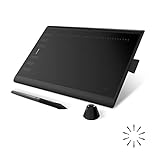
- Working Area Configuration - HUION art tablet equips with a 10 x 6.25 inches working area, providing the user with the most comfortable size to work; the 10mm slim structure and minimalist design of appearance make the drawing tablet more attractive.
- Tilt Function Battery-free Stylus: This computer graphics tablet come with a battery-free stylus PW100, no need to charge, allowing for constant uninterrupted drawing. ±60° tilt support enables imitation of lines input with diverse drawing gestures, with accuracy ensured.
- Press Keys:12 programmable press keys plus 16 programmable soft keys, you can set shortcut keys on drawing tablet's driver based on your preferences, such as erase, zoom in/out, scroll up and down, and so on.
- Compatibility: HUION graphics tablet supports Windows 7 or later/ macOS 10.12 or later/ Android 6.0 or later/ Linux (Ubuntu). A USB adapter is required to connect to a Mac computer. H1060P supports various mainstream design and drawing software, including PS, SAI, AI, CDR, etc. (Please note: The H1060P is compatible with Ubuntu, but it requires the use of the Xorg display server. Wayland is not supported.)
- NOTE: You can easily connect your phone to the art tablet via the OTG connector; while iPhone and iPad are NOT at the moment. The cursor will not show up in the SAMSUNG Galaxy S series at present. If you are not sure whether the product is compatible with your Phone or any help, please contact us.
The public material available for this article does not establish definitive answers to those legal and security questions, so organizations should not infer them from the product’s model catalog.
How FLORA compares with alternatives
| Alternative | Best fit | How it differs from FLORA |
|---|---|---|
| Adobe Creative Cloud and Firefly | Teams already using Photoshop, Illustrator, Premiere, or After Effects | Deeper conventional production and finishing ecosystem; less centered on one open multi-model node canvas. |
| Runway | Video generation, editing, motion experiments, and filmmaking | More video-focused, while FLORA emphasizes a broader cross-modal workflow workspace. |
| Krea | Fast visual ideation and live experimentation | Often emphasizes speed and live exploration rather than structured, reusable workflow graphs. |
| Midjourney | Image ideation and style exploration | A focused image-generation environment rather than a connected text-to-image-to-video production map. |
| ComfyUI | Technical users needing granular node control or self-managed workflows | More configurable but typically more demanding to install, maintain, and operate than a hosted team product. |
| Direct model subscriptions | Users who depend mainly on one provider or model | Can offer direct access and simpler provider-specific terms, but with less cross-model comparison and orchestration. |
ComfyUI may reduce hosted-platform dependence, but infrastructure, hosting, and model costs still vary. None of these alternatives is automatically cheaper; the relevant comparison is the workflow each team needs.
Which plan makes sense?
- Free: Start here if you want to test whether a spatial, node-based canvas suits your thinking.
- Starter: Consider it for a solo professional or small team that needs video models, unlimited projects, collaboration, and API/MCP access.
- Pro: More appropriate when shared assets, shared elements, per-member usage caps, and analytics matter.
- Max: Aimed at heavier operations that need more included usage and custom voices.
Because the paid prices were marked as a launch offer ending August 31, 2026, readers should confirm current pricing and allowances directly at FLORA’s pricing page.
The Tool Desk
Outbyte PC Repair FREERepair Windows errors before they cause bigger problemsFix Now →Outbyte Driver Updater FREEFix the driver behind crashes, sound loss and screen glitchesFind Drivers →The bottom line
FLORA is compelling when the problem is not “make me one AI image,” but “help my team explore, connect, compare, document, and reuse a large number of AI-assisted creative decisions.” Its canvas, model aggregation, collaboration features, and reusable techniques could reduce context switching for visual development.
It is less compelling as a universal replacement for traditional creative software, a private local pipeline, or a simple flat-rate generator. The decisive questions are whether your work benefits from branching workflows, whether the models you need are available, whether metered usage fits your budget, and whether FLORA’s current privacy, rights, export, and enterprise terms satisfy the project.
Quick Recap


