Quick wins for a faster PC:
The Tool Desk
Outbyte Driver Updater FREEFix the driver behind crashes, sound loss and screen glitchesFind Drivers →Outbyte PC Repair FREERepair Windows errors before they cause bigger problemsFix Now →Fix the driver behind crashes, sound loss and screen glitchesFind Drivers →Clear out junk files and repair common Windows errorsFree Scan →Scan for outdated or missing drivers - takes under a minuteDriver Scan →
ThatPainter is reader-supported. When you buy through links on our site, we may earn an affiliate commission. Learn More
The website described as “Google Maps plus MS Paint” is Wplace: a browser-based shared world map where people place pixels to build, defend, overwrite, and clean up collaborative artwork. The comparison is useful, but Wplace is not a Google Maps drawing tool. The map provides the setting for a persistent, game-like pixel canvas.
What is Wplace?
Wplace is a shared world map on which users collaboratively create pixel art one pixel at a time. You zoom to a real-world location, choose a color, and place a pixel on the public canvas. Other users can then add to it, cover it, alter it, or remove it.
That gives Wplace four familiar ingredients:
- Google Maps: a navigable map with countries, cities, landmarks, and geographic locations.
- MS Paint: a simple palette and direct, low-friction pixel placement.
- Reddit’s r/Place: a public canvas where strangers cooperate and compete over limited space.
- An online game: cooldowns, limited resources, levels, leaderboards, alliances, events, and territorial disputes.
Large images usually require many contributors working from a shared plan. Wplace is designed as an ongoing platform, but that does not make individual artwork permanent: any allowed artwork may be overwritten, disputed, cleaned up, or removed by moderation.
Free tools Windows power users keep installed
One-click scans. No signup required.
How the shared canvas works
Artwork is attached to geographic positions rather than kept in a private file owned by one artist. A national flag, fandom logo, meme, memorial, protest image, or character can occupy a section of the map, while neighboring communities create their own designs.
#1 Best Overall
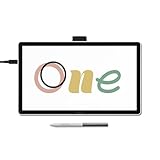
- BIGGER CANVAS, BETTER DETAIL: Redesigned with more drawing area, the laminated 14" crisp IPS Full HD display offers generous space with 98% sRGB color accuracy and a paper-like texture that won’t glare or smudge – keeping you in your creative zone longer
- PRECISE, NATURAL FEEL: Draw with the control that made Wacom a favorite; the battery-free pen never needs charging and captures everything from light lines to bold strokes with Wacom’s responsive pressure sensitivity
- COMPLETE CREATIVE STARTER KIT: Includes trials of Clip Studio Paint Pro, Magma, Concepts & Foxit software, and Skillshare training courses - your jumpstart to creating beautiful art right away
- RELIABLE PERFORMANCE: Wacom's proven reliability works seamlessly with your computer – no driver headaches, mysterious disconnects, or frustrating "why isn't this working?" moments common with cheaper alternatives
- COMPATIBILITY: PC (Windows 10 or later), Mac (OS 13 or later), Chromebook; Easy plug-in via single USB-C: devices requiring HDMI require additional converter, cable and power adapter kit (sold separately)
The official rules distinguish ordinary territorial competition from targeted harassment. Painting over another group’s work is not automatically forbidden, but deliberately griefing or harassing users can lead to penalties. “Allowed” also does not mean protected: a pixel can still be replaced by someone else.
Activity is shared among users, although “real-time” should not be interpreted as perfectly instantaneous. Network delay, caching, server load, moderation, and refresh behavior can affect what you see.
How to place your first pixel
- Open wplace.live in a browser.
- Explore the map and zoom toward a city, country, or other location.
- Zoom in far enough for the pixel layer to appear.
- Choose a color, or select the transparent/eraser option if it is available to your account.
- Click or paint an available pixel.
- Wait for your placement capacity or charges to replenish before painting again.
- For a large design, coordinate with the relevant community or alliance rather than placing pixels at random.
A third-party Wplace guide says the map uses OpenStreetMap zoom levels from 1 through 19 and identifies a higher zoom level as the point where pixel art becomes visible. That threshold, like other interface details, may change; zoom further if you can see the map but not the artwork.
Cooldowns and limited painting resources
Wplace does not work like an unrestricted drawing program. Launch-era coverage described a starting pool of 30 pixels and recovery of approximately one pixel every 30 seconds. A current third-party guide repeats those figures, but the official live interface can change and does not clearly document every numerical rule in static page text.
Rank #2

- Entry-Level Tablet: Drawing tablet dimensions are 9.92" x 7.13" x 0.31" with a 8.5" x 5.3" active area; pen-on-paper feeling for digital pen starters, drawing, editing photos, or visual communication
- Precision Pen Performance: Included Wacom One Pen features natural tilt recognition, virtually lag-free tracking, 4096 levels of pressure sensitivity, and 2 customizable switches
- Optimal Efficiency: Shortcut buttons on the pen can be customized for your favorite keyboard shortcuts like undo or copy/paste, helping you stay immersed in your art
- Multiple Compatibility: Connect to Windows PC, Mac, Chromebook, and Android smartphones and tablets via USB-C (some devices require 2nd USB-A adapters)
- Includes: Medium Wacom One graphic design tablet, battery-free Wacom One Pen, power adapter, USB-C cable and quick start guide
In practical terms, expect painting capacity to be limited and replenished over time. Check the current counter in Wplace before relying on the 30-pixel or 30-second figures for a coordinated project.
Colors, transparent pixels, and the store
The current site displays a store and balances labeled Droplets and Prism. Basic participation is described as free, while the store and third-party documentation indicate that some colors or other items may require earned or purchased currency.
- Free colors are enough to begin contributing.
- Paid or unlockable colors may help reproduce more detailed designs, depending on the current store.
- Transparent pixels can be used for cleanup or erasing.
- Store items may affect color access, convenience, cosmetics, or painting capacity; the exact selection can change.
Some launch-era and third-party material reports specific prices, including colors costing 2,000 Droplets, but those figures should not be treated as a current official price list. Critics have also debated whether paid mechanics create an advantage. It is more precise to describe the available purchases and their effects than to label Wplace “pay to win” without qualification.
Why did Wplace become popular?
The appeal comes from combining a familiar map with a public, contested canvas. A user can see activity attached to recognizable places rather than an abstract grid. That makes even a tiny pixel feel like participation in a visible community project.
Rank #3

- Entry-Level Tablet: Drawing tablet dimensions are 7.4" x 5.55" x 0.31" with a 6.0" x 3.7" active area; pen-on-paper feeling for digital pen starters, drawing, editing photos, or visual communication
- Precision Pen Performance: Included Wacom One Pen features natural tilt recognition, virtually lag-free tracking, 4096 levels of pressure sensitivity, and 2 customizable switches
- Optimal Efficiency: Shortcut buttons on the pen can be customized for your favorite keyboard shortcuts like undo or copy/paste, helping you stay immersed in your art
- Multiple Compatibility: Connect to Windows PC, Mac, Chromebook, and Android smartphones and tablets via USB-C (some devices require 2nd USB-A adapters)
- Includes: Small Wacom One graphic design tablet, battery-free Wacom One Pen, power adapter, USB-C cable and quick start guide
Fandoms, national and regional groups, meme communities, artists, and internet-culture observers can coordinate large works, defend territory, negotiate borders, or simply watch the map change. Launch coverage reported more than one million users within four days, but that was a launch-period statistic, not a current user count. Wplace reportedly launched in July 2025, so those details should be understood historically.
Wplace versus Reddit’s r/Place
| Feature | Wplace | r/Place |
|---|---|---|
| Canvas | World-map based | Shared pixel grid |
| Availability | Designed as an ongoing platform | Historically limited-time events |
| Geography | Central to the experience | Usually absent |
| Coordination | Alliances, regions, and communities | Communities and subreddit coordination |
| Artwork risk | Pixels can be overwritten or moderated | Pixels could be overwritten during the event |
Wplace is closer to a persistent, geographically organized version of the shared-pixel idea. It should not be assumed that a new r/Place event is currently available; its status depends on Reddit’s schedule.
Is Wplace actually using Google Maps?
No. “Google Maps plus MS Paint” is a metaphor for the user experience, not an indication that Wplace is a Google product or a Google Maps annotation feature. Wplace is a separate service presenting a navigable world map with a pixel-art layer. A third-party guide identifies OpenStreetMap zoom levels, but that does not by itself establish every underlying technical or licensing detail.
Community tools, alliances, and automation
The live interface includes leaderboard categories for players, countries, regions, and alliances, along with alliance-related controls and event features. Communities may use Discord, Reddit, or other services to plan artwork, but those channels are not necessarily operated by Wplace.
Rank #4

- Wacom Intuos Small Graphics Drawing Tablet: Enjoy industry leading tablet performance in superior control and precision with Wacom's EMR, battery free technology that feels like pen on paper
- Works With All Software: Wacom Intuos tablet can be used in any software program to explore new facets of digital creativity; draw, paint, edit photos/videos, create designs, and mark up documents
- What the Professionals Use: Wacom's industry leading pen technology and pen to paper feeling makes it the preferred drawing tablet of professional graphic designers
- Software and Training Included: Only Wacom gives you software with every purchase. Register your Intuos tablet and gain access to some of the best creative software and Wacom's online training
- Wacom is the Global Leader in Drawing Tablet and Displays: For over 40 years in pen display and tablet market, you can trust that Wacom to help you bring your vision, ideas and creativity to life
Planning overlays, image converters, palette references, and city-search tools may help people prepare a design. However, unofficial tools should not receive your login or payment information unless you have independently verified them. More importantly, Wplace’s official rules prohibit bots, scripts, browser automation, exploits, and multi-accounting. A manually used planning aid is different from software that places pixels automatically; the latter can put an account at risk.
Rules and moderation
Wplace’s official rules prohibit or penalize:
- Explicit sexual content.
- Sexualization of minors or child-like fictional characters.
- Extreme graphic gore or realistic violence.
- Hate speech, extreme slurs, and hate symbols.
- Doxxing or disclosure of private personal information.
- Targeted harassment and malicious griefing.
- Bots, scripts, browser automation, exploits, and multi-accounting.
Consequences can include artwork removal, timeouts, suspension, or permanent bans. The rules also warn that shared devices, virtual machines, residential proxies, and automation can trigger account problems. If an account is restricted, use Wplace’s official support or appeal route rather than attempting to evade the restriction.
Independent reader supportYour contribution helps us test, update, and keep practical guides available for everyone.Is Wplace safe for children?
There is no blanket yes. Formal rules prohibit sexual, hateful, illegal, and doxxing content, but Wplace remains a public user-generated canvas. Offensive, political, violent, sexual, or otherwise unsuitable artwork may appear before it is removed—or may be interpreted differently by different viewers.
Recommended Free Tools
Younger children should use it with adult supervision. Do not share personal information, avoid unofficial download and login pages, use only the official domain for purchases, and review the current community rules before participating.
Best Value

- Wacom One Creative Pen Display: High definition creative pen display designed for creative hobbyists, visual thinkers, and anyone needing a second screen or bigger digital canvas for work or play
- Works With All Software: Wacom One display can be used in any software program to explore new facets of digital creativity; draw, paint, edit photos/videos, create designs, and mark up documents
- Beautiful Display For Digital Freedom: Bring your creative juices to life in a full color spectrum on a 13.3" high definition display and draw,edit photos and videos, or use for easy note taking
- Time Saving Pen Technology: Wacom One's button on pen can be customized for your favorite shortcuts like undo or copy/paste, helping you stay immersed in your art with efficiency and ease
- Wacom is the Global Leader in Drawing Tablet and Displays: For over 40 years in pen display and tablet market, you can trust that Wacom to help you bring your vision, ideas and creativity to life
Common problems and fixes
I can see the map but not the artwork
Zoom further in first. If the pixel layer still does not appear, refresh the page, try a current desktop browser, temporarily disable conflicting extensions, and retry later if Wplace reports server trouble. High traffic, maintenance, or a failed layer load can all produce a map without visible art.
My pixel disappeared
Another user may have painted over it, the area may be contested, moderators may have removed the artwork, or the placement may not have saved because of a network error. Wplace does not promise private ownership or an undo function for public pixels.
My account was suspended
Possible causes include prohibited content, multiple accounts, bots or scripts, exploits, targeted griefing, or suspicious proxy or virtual-machine activity. Consult the official rules and use the platform’s support process.
Is Wplace worth trying?
Wplace is a good fit if you enjoy collaborative art, fandom projects, internet culture, territorial competition, or contributing one small piece to a large public image. You do not need conventional drawing skills, and the geographic framing makes the canvas fun to explore.
It is a poor fit if you want private artwork, unlimited undo, precise layers, an exportable master file, authoritative geographic data, or a reliable map-annotation system. Pixels can be slow to place, the canvas can become noisy, and large projects often require coordination outside the site.
The simplest accurate description is this: Wplace is a public, persistent, map-shaped pixel game. It borrows the familiarity of a digital map and the simplicity of a paint program, but its real subject is collective ownership, competition, and negotiation—not navigation or conventional drawing.
Quick Recap

Product prices and availability are accurate as of the date/time indicated and are subject to change. Any price and availability information displayed on Amazon at the time of purchase will apply.




