Outdated Drivers Are Slowing You Down
Outbyte Driver Updater · freeOne free scan finds every outdated or missing driver and matches the right update for your exact hardware.
Scan My Drivers Free →ThatPainter is reader-supported. When you buy through links on our site, we may earn an affiliate commission. Learn More
A productive, beautiful workspace starts with a setup that supports the work: choose a consistent zone, make your seating and screen comfortable, control glare, keep the area safe, add personal details thoughtfully, and take movement breaks. You do not need a separate office or a matching set of furniture. A few low-cost adjustments can make a desk area easier to use, while visual style remains a matter of personal taste—not a guaranteed productivity boost.
1. How do I choose a work zone when I do not have a home office?
Choose a consistent place where you can manage noise, temperature, and lighting. It can be a corner of a room or a shared table; a dedicated room is not a prerequisite. Keeping your work materials together can also make a multipurpose area easier to set up and put away.
As an Amazon Associate I earn from qualifying purchases.
Crashes, No Sound, or Screen Glitches?
Random freezes, missing sound and display glitches usually trace back to one bad driver. Find and replace yours safely.Free scan · under a minutePC Slower Than It Used to Be?
A free scan shows the junk files, broken settings and background clutter dragging Windows down - then fixes them in one click.Free scan · Windows 10 & 11Start with the constraints you can control. Notice whether household activity interrupts calls or concentration, whether the area gets uncomfortably warm or cold, and whether daylight creates screen glare. The Canadian Centre for Occupational Health and Safety (CCOHS) and the National Institute for Occupational Safety and Health (NIOSH) both frame the home-work setup around practical conditions and ergonomic needs rather than a requirement for a formal office (CCOHS telework guidance; NIOSH’s working-from-home guidance).
If the spot serves several purposes, give work items a defined home: a container, shelf, or section of a cabinet may be enough. The point is not to create a showroom. It is to make it possible to begin work without searching for supplies and to clear the area when it needs to serve another purpose. If you do creative work at the same station, keep the materials for that task together too, but avoid letting storage take over the space you need to work.
Popular on Amazon

- Great Value Paint Brush Set: Soucolor 20 acrylic paint brushes come in 10 different sizes, making them ideal for fine detailing, model painting, rock painting, nail art, face painting, DIY crafts, and general art projects. The varied brush sizes give you better control for both delicate lines and broader color coverage, while the soft bristles deliver smooth, consistent results on acrylic, oil, watercolor, canvas, wood, ceramic, and more.
- Awesome Set of Paint brushes: Professional paint brushes can cover all of your needs. The multi-purposed brushes are ideal for Watercolor, Oil, Gouache, enamel, Acrylic Painting, Body, Nail, Face Painting, Miniature, Model, Wood, Glass, Cup, Ceramic, Fine work, Art class, Craft Art Painting, DIY Art Crafts etc.
- Soft and long-lasting: The bristles are soft and strong, with nickel metal ferrules and blue wooden handles. After cleaning, the bristles will become soft and fluffy again and will not fall off.
- Easy to clean: it’s very convenient to Wash well in soap and water. Retain shape after drying. the brushes hold up very well. Nice selection to beginners and professionals. Keep them clean and they last a long time.
- Perfect for All Painters & Occasions: Suitable for art beginners, hobbyists and professional artists. Great for art class, home creation, travel painting and DIY handmade projects. A practical art gift for students, teachers, family and craft lovers.
2. How should I set up my chair and work surface?
Adjust the chair and work surface so you can work with relaxed shoulders, a supported back, and wrists in a neutral position. The fit matters more than whether the furniture matches or is marketed as office furniture.
Begin by sitting back in the chair and checking whether it supports your back without forcing you to reach forward. Place the work surface and input devices so your shoulders can stay relaxed while your hands reach the keyboard and mouse. Avoid arranging the setup in a way that makes you repeatedly twist or stretch for commonly used items. CCOHS notes that organization can reduce unnecessary reaching and twisting, while its home-work guidance and Harvard Environmental Health & Safety’s remote-work fact sheet provide ergonomic setup advice (CCOHS; Harvard Environmental Health & Safety).
Check your feet after adjusting the chair. If they are left unsupported, a footrest may help. A stable box or book can be a no-purchase alternative if it provides comfortable support and stays safely in place. Do not force a position that causes discomfort just to match a generic diagram: bodies, chairs, desks, and tasks vary. Make small adjustments and reassess how the whole arrangement feels, including your back, shoulders, arms, wrists, and feet.
For tasks that alternate between keyboard work and paper materials, arrange the most frequently used items within easy reach. The aim is a workable range of motion, not a perfectly empty desk. Leave enough clear space to do the task without repeatedly shifting objects around.
3. How do I position a laptop screen, keyboard, and mouse?
Raise a laptop display toward eye level, then use a separate keyboard and mouse so the screen height and typing position can be adjusted independently. A laptop stand is one option; a stable book or box can also elevate the screen.
A laptop’s built-in screen and keyboard are attached, which can make it difficult to place both comfortably at once. Raising the screen while continuing to type on the built-in keyboard may leave your hands in an awkward position. Separate input devices let you put the display higher while keeping the keyboard and mouse where your arms and hands can work comfortably. Harvard’s remote-work ergonomics fact sheet recommends raising a laptop screen and using separate input devices; NIOSH describes a book or box as a way to raise a monitor (NIOSH).
Quick wins for a faster PC:
Repair Windows errors before they cause bigger problemsFix Now →Fix the driver behind crashes, sound loss and screen glitchesFind Drivers →Also popular on Amazon
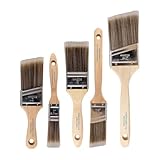
- COMPLETE 5-PIECE BRUSH SET FOR EVERY PAINTING TASK — Includes 1 Inch Flat, 1.5 Inch Angle, 2 Inch Flat, 2 Inch Angle Stubby, and 2.5 Inch Angle brush giving you every size professional painters use daily. Get all 5 for less than the price of a single brush from hardware store brands — professional grade performance at a fraction of the cost. Perfect for walls, trim, cabinets, doors, furniture, and detailed cutting-in work on any project.
- ZERO BRISTLE LOSS — GUARANTEED BY PRECISION ADHESIVE BONDING — Every bristle is locked in place with precision-set adhesive that keeps them in the brush — not in your paint job. The coated steel ferrule provides structural support while the adhesive bond ensures clean performance on every stroke. Premium SRT synthetic filaments load more paint and release it evenly for a smooth streak-free finish on walls, ceilings, and trim. Works with latex, oil-based paint, primer, sealer, and wood stain.
- INCLUDES THE ANGLE STUBBY MOST SETS LEAVE OUT — Professional painters know the 2 Inch Angle Stubby is the go-to brush for tight cabinet interiors, window sashes, inside corners, and detailed trim where standard angle brushes are too long. Combined with the 1.5 and 2.5 inch angle sash brushes you have precision cutting-in covered at every scale — baseboards, crown molding, door casings, and ceiling lines.
- FLAT BRUSHES FOR BROAD SMOOTH COVERAGE ON ANY SURFACE — The 1 and 2 inch flat brushes deliver even coverage on walls, furniture, shelving, doors, fences, decks, and wood surfaces. Ideal for applying primers, stains, varnishes, polyurethane, and specialty coatings. Solid wood handles provide all-day comfort and control for both professional contractors and weekend DIY homeowners tackling interior or exterior painting projects.
- TRUSTED BY PROFESSIONAL PAINTERS AND CONTRACTORS NATIONWIDE — Pro Grade delivers professional-grade results at a price that makes sense for crews who go through brushes on every job. Ideal for property managers, remodeling contractors, apartment turnover crews, maintenance teams, and commercial painting operations. Backed by thousands of verified reviews from working painters. Washable and reusable for multiple projects.
Choose between a stand and a household object based on stability, available space, and whether you need to change the screen height or angle. A stand may be convenient if you adjust the setup often or want an accessory designed for that purpose. A book or box may be a practical temporary option, provided it is sturdy and does not make the laptop precarious. Neither option replaces a separate keyboard and mouse if you need to position the display and typing area independently.
After raising the screen, check that it does not wobble and that you can still use the laptop without blocking its vents or straining to see it. Then position the keyboard and mouse so your shoulders stay relaxed. The right arrangement depends on your equipment and task; the important principle is to set the display and input devices for their separate jobs.
4. How can I reduce screen glare and light paper tasks?
When possible, place the monitor perpendicular to a window rather than directly facing it or sitting with a bright window behind it. Use blinds or diffuse light to soften direct sun, and aim a task lamp at paper—not at the screen.
Glare can make a display harder to view and encourage awkward repositioning. First try changing the screen’s orientation relative to the window. If direct sunlight still lands on the screen or work surface, blinds or another way of diffusing the light may help. For reading, writing, drawing, or other paper-based tasks, a task lamp can add light where it is needed. Keep its beam on the material rather than shining it into the monitor or your eyes. These are the practical lighting considerations described in Harvard’s remote-work ergonomics guidance and OSHA’s computer workstation environment guidance.
Outdated Drivers Are Slowing You Down
One free scan finds every outdated or missing driver and matches the right update for your exact hardware.Free scan · exact hardware matchWindows Errors? Fix Them Before They Spread
Repair common Windows errors and clear accumulated junk for a smoother, more stable PC - no reinstall needed.Free scan · no reinstallOSHA gives context-specific illumination figures of 20 to 50 foot-candles for paper tasks and offices with CRT displays, and says up to 73 foot-candles may be needed for the same viewing tasks with LCD monitors. These are figures for the conditions described in OSHA’s guidance, not a universal brightness prescription for every home office, modern display, or individual. Use the page as context for the kinds of tasks and displays it describes; do not treat one number as a target that every room must meet.
There is no need to add a lamp automatically if the existing room light is comfortable and sufficient for your task. Try changes in this order: adjust the monitor’s position, soften direct daylight, then add task lighting if paper work still needs it. That sequence addresses glare before adding another light source.
Also popular on Amazon
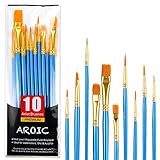
- 【All sizes of art brushes】: The 10 sizes of multi-functional brushes have various shapes, making the mixing color easier, which is very suitable for artists, students, teenagers, children and painters at all levels. Wonderful Present ideas for friends and family who like painting!
- 【general brush set】: Professional paint brush can meet all your needs. Multifunctional brush is very suitable for watercolor, oil, gouache, acrylic painting, body, nail, face painting, miniature, model, ceramics, arts and crafts painting, etc.
- 【high quality process】: It is designed with anti falling bristles, anti-rust nickel ferrule and solid wood handle. You can use the brush to focus on the painting and always be creative.
- 【easy to maintain】: After using the brush, it is very convenient to clean the brush with warm soapy water and reshape the tip of the brush. Air dry the brush and place it on top of the top for long use.
- 【100% satisfaction guarantee - buy now】1 packs of set brushes, you can also get friendly customer service, any questions feel free to contact us, within 24 hours to help you! There is no risk in buying our paint brush kit.
5. How do I keep a workspace organized and safe?
Keep frequently used items within easy reach, and make sure walkways stay clear of cables, open drawers, and other obstacles. Organization can reduce unnecessary reaching and twisting; it also helps prevent avoidable trip hazards.
Store the items you use most often where you can reach them without repeatedly leaning or turning. Put less-used materials elsewhere if space is limited, and keep loose cables from crossing a route you walk through. Close drawers when they are not in use. NIOSH lists cords across walkways and open drawers among office hazards in its office safety guidance. Those hazards matter in a home workspace too, especially when a work area doubles as a household walkway.
A tidy desk is not the same as an organized workspace. The useful test is whether the arrangement lets you reach what you need without awkward movement and whether the floor and paths around the area remain unobstructed. If the setup has to be packed away each day, keep small items together and route or gather cables in a way that does not create a hazard when you move equipment.
6. How can I make the space beautiful without creating clutter?
Use visual choices you enjoy—such as artwork, color, texture, photos, or plants—but balance them with clear working space and storage. A visually appealing setup is personal; the available evidence supports balanced design principles, not a promise that a particular color or decoration will improve output.
Begin with the task and the available space. A photograph or small piece of artwork may add character without crowding the surface. Color and texture can make a corner feel intentional, while closed or contained storage can keep supplies accessible without leaving every item in view. A plant is one possible decorative choice, not a requirement. If you find a busy background or too many objects distracting, use fewer, simpler elements. If an otherwise bare corner feels impersonal, add one or two details that matter to you.
The Whole Building Design Guide recommends creating comfortable environments with visual interest while avoiding visual chaos (WBDG guidance on comfortable environments). That is a design principle, not a finding that a particular decoration makes everyone more productive. Treat appearance as something to tune to your taste and work habits, and do not sacrifice useful surface area or safe movement just to follow a style trend.
Do these 3 things before closing this tab:
1Scan for outdated or missing drivers - takes under a minute2Clear out junk files and repair common Windows errors3Fix the driver behind crashes, sound loss and screen glitchesAlso popular on Amazon

- 【KIDS PAINT BRUSHES SET】Anezus paint brushes for kids come with 10 pcs paint brushes of 5pcs round paintbrushes and 5 flat paint brushes with colorful handles, good for the young artist to explore their creativity in painting and crafting
- 【HIGH QUALITY PAINT BRUSHES FOR KIDS】These toddler paint brushes made of soft hog bristle, bright colored handles and rust proof ferrules. The bristles are firmly fixed in the kids paint brushes and no shedding. Each children paint brush measure 6 1/4 inches (16cm) in length and ferrules 1/2"(1.3cm) diameter, large enough for the little hand to grip and control
- 【WIDE APPLICATIONS】With combination of round and flat craft paint brushes for kids, work great with washable paint, tempera paint and acrylic paint. Great for arts and craft, rock, leather, gesso and ceramic, or body, nail and face art painting.
- 【EASY TO CLEAN 】After using paint brushes for acrylic, oil or watercolor painting, it’s very convenient to clean them with warm soapy water and reshape the paint brush tips. Keep these craft paint brushes clean and they last a long time.
- 【GREAT GIFT IDEA】Perfect for students, teens, kids, children and painters of all levels. Wonderful gift idea for girls, boys and kids who love painting! These all-purpose paint brushes for kids are ideal for kids' school projects, birthday parties, painting parties, art parties, back to school supplies, classroom decoration and more.
For a creative workspace, it can help to distinguish the visual layer from the working layer: keep the objects that inspire you visible if you like, but preserve a clear place for the materials your current task requires. A beautiful setup should be usable, not just attractive in a photograph.
Independent reader supportYour contribution helps us test, update, and keep practical guides available for everyone.7. How often should I move and rest my eyes?
Vary your posture, take breaks from sitting and screen use, and get up to stretch or walk. A 20-20-20 eye-break suggestion and short movement breaks are among the approaches in Harvard’s guidance; NIOSH reports a specific break schedule associated with reduced discomfort and eyestrain in its 2020 article.
Try not to remain in one body position for extended periods. CCOHS warns that “Extended hours in the same body position or repeated motions can lead to various musculoskeletal injuries” (CCOHS telework guidance). The practical response is to vary posture and include breaks from both sitting and screen use. A brief walk or stretch also gets you out of the same position; choose a pattern you can realistically maintain during your workday.
Harvard suggests the 20-20-20 approach for eye breaks: after 20 minutes of screen viewing, look at something 20 feet away for 20 seconds. Its guidance also discusses short movement breaks (Harvard Environmental Health & Safety). NIOSH reported that hourly five-minute breaks added to twice-daily conventional rest breaks significantly reduced overall musculoskeletal discomfort and eyestrain in its 2020 article. The passage does not give a percentage reduction, and the finding should not be turned into a guaranteed result for every person or schedule (NIOSH, 2020).
What’s actually slowing this PC down?
Pick the symptom - the matching free tool is one click away.
If you cannot step away at a particular moment, change posture when practical and take the next suitable break. The goal is to interrupt long stretches of stillness and screen viewing, not to create a rigid routine that gets in the way of work.
What should I adjust first?
Start with comfort and safety, then refine the look. A sensible order is to choose a workable location, adjust your chair and work surface, position the screen and input devices, address glare, clear hazards, and then add personal touches. Build movement breaks into the day rather than treating the setup as a substitute for moving.
Also popular on Amazon
- 【162-Piece Bulk Set | Dual Brush System】Maximize versatility with 81 flat brushes (0.59 inch edge for bold strokes) and 81 round brushes (0.39 inch tips for details) – 3X more tools than standard kits! Pre-sorted in labeled compartments for instant access during painting sessions. Ideal for art classrooms, mural projects, and multi-artist households.
- 【Pro-Grade Durability | Zero Shedding Guarantee】 "Engineered with triple-crimped nylon bristles (43% higher resilience vs. standard) and aerospace aluminum ferrules tested for 10,000+ flex cycles. Lab-verified 0.01% shedding rate even with heavy impasto techniques – outperforms flimsy bristles in budget brushes."
- 【Multi-Scenario Readiness | Event & Daily Use】 Optimized for: Thanksgiving/Christmas face designs classroom projects ceramic decorating fabric printing and model painting; Lightweight plastic handles each reduce hand fatigue during prolonged sessions
- 【Effortless Maintenance | Long-Term Durability】 Clean with warm soapy water in 10 seconds; Reshape tips and air-dry vertically to preserve bristle integrity,After use, air-dry brushes thoroughly and store upright in the provided case to preserve bristle shape. The premium nylon filaments naturally regain their original form after each stroke. For cleaning, simply rinse in warm soapy water and gently reshape bristles with fingertips."
- 【Multiple Application】These acrylic paint brushes can be applied for most occasions,such as:watercolor,oil, gouache paint,face paint, acrylic paint, suitable for Thanks Giving Day, Christimas, Halloween face and body painting, canvas painting, fabric, rock, miniature, model, ceramics, arts and crafts painting, etc.
- Pick a consistent zone. Consider noise, temperature, light, and how the space will be shared.
- Set your posture. Adjust the seat, work surface, and input devices for relaxed shoulders, back support, and neutral wrists; check whether your feet are supported.
- Separate laptop display from typing position. Raise the display as appropriate and use a separate keyboard and mouse when needed.
- Manage light. Reduce direct glare first, then add a task lamp if paper work needs it.
- Clear the route. Put common items within easy reach and keep cables and drawers from creating obstacles.
- Add visual character selectively. Keep the work area usable and choose details based on your own preferences.
- Plan breaks. Vary posture, rest your eyes, and get up to move during the day.
NIOSH summarizes the purpose of a thoughtful setup simply: “A properly designed workspace can help prevent workplace musculoskeletal disorders” (NIOSH’s working-from-home article). That does not mean every person needs the same chair, desk, lamp, or accessory. Make adjustments around your body, the task, the space you have, and the equipment you already own.
Frequently Asked Questions
Do I need to buy a laptop stand to raise my screen?
No. A stable book or box can raise a screen, according to NIOSH’s home-work guidance. Whatever you use should support the laptop securely; a stand is an optional convenience, not a prerequisite.
Free tools Windows power users keep installed
One-click scans. No signup required.
Can a plant make me more productive at my desk?
The sources in this article do not establish that adding a plant increases productivity. It can be a personal design choice, but keep it only if it suits your taste and does not crowd the work area.
Are OSHA’s foot-candle figures the brightness I should set at home?
No. OSHA’s figures refer to specified paper-task and display conditions, including CRT and LCD examples. They are not a universal home-office target or a substitute for adjusting the lighting to the room and task.
What if I share my desk with someone else or use it for other activities?
Keep work materials grouped so you can reset the surface without leaving everything out. Prioritize a clear working area and a safe path around it; the workspace does not have to remain dedicated around the clock.
Quick Recap


