Outdated Drivers Are Slowing You Down
Outbyte Driver Updater · freeOne free scan finds every outdated or missing driver and matches the right update for your exact hardware.
Scan My Drivers Free →ThatPainter is reader-supported. When you buy through links on our site, we may earn an affiliate commission. Learn More
For a straightforward repeating stripe tile, start with Stripe Generator. For CSS-only backgrounds, try MagicPattern; for editable vector patterns, compare Gera Tools, SVGFlow, or W3Schools’ generator. The other tools below broaden the options to preset libraries, raster tiles, and geometric or textured backgrounds. This is a curated list, not a tested ranking: choose by output format, controls, tiling quality, and license.
Choose a tool by the asset you need
A repeating tile is a small graphic designed to continue across a larger surface. In CSS, background-repeat repeats a background image (MDN: background-repeat). SVG’s <pattern> element defines a reusable graphic that can fill shapes (MDN: SVG pattern).
Start with the format your project already uses. CSS gradients can create a background without a separate image tile; SVG is editable vector markup; PNG is raster output for workflows that specifically need an image file. A format is not automatically faster or better: performance depends on the asset and page where it is used.
The Tool Desk
Outbyte PC Repair FREEClear out junk files and repair common Windows errorsFree Scan →Outbyte Driver Updater FREEScan for outdated or missing drivers - takes under a minuteDriver Scan →- Need literal stripes? Begin with Stripe Generator, MagicPattern, Gera Tools, SVGFlow, faker.tools, or W3Schools.
- Want presets or broader motifs? Look at Pattern Monster, Aback Tools, VISIWIG, or PatternIco.
- Making a texture, geometric sequence, or design-app asset? Consider Texturize, Thinkpixel, Mmmotif, Rrrepeat, Ooorganize, Aaabstract, Rrreplicate, or BGJar.
Direct stripe and CSS tools
1. Stripe Generator
Stripe Generator is the most direct fit when you want a striped tile rather than a general pattern. Its page describes downloadable seamless stripe tiles, a CSS background-image example, horizontal-only repeat guidance, and controls for up to five stripe colors. Check its repeat behavior against your layout before using the tile vertically or in another direction.
#1 Best Overall

- Each Size 6 x 6 Inch 4pieces Total, Stripes Designs , Reusable/Bendable/Flexible/Easy to Clean, you can use it placed on any surfaces , you can use it as rulers, to draw straight lines as on your book, diary, or use it to paint lines. Made of 0.25mm thickness PET Plastic material , Semi-Transparent White Color
- Our Stripes Painting Stencils are Perfect for all Types of DIY crafts and projects. Common uses include Sketchbook Drawing, Daw Lines Layout Notebook, Also Can be Used for Wall Decorations, Furniture, Wood Signs, paper crafts and clothing but the possibilities are limitless. They can be used repeatedly and easy to clean, not easy to break! These stencils are Durable Quality, Washable, Reusable
- Express your creativity, transform your home in minutes. Perfect for modern, country & farmhouse style decor projects. Stenciling is the secret to expressing your personal artistic style in the colors & mediums you love. Easy to use & reuse - quick, perfect letters & designs every time.
2. MagicPattern CSS Backgrounds
MagicPattern CSS Backgrounds is a CSS-first collection whose page advertises more than 50 patterns, including horizontal, vertical, and diagonal stripes as well as geometric textures. It says patterns use CSS gradients and can be copied as CSS or downloaded as an image. This is a useful starting point if you want to keep the background in CSS rather than manage a separate tile file.
3. Gera Tools SVG Pattern Generator
Gera Tools SVG Pattern Generator creates configurable tileable SVGs for stripes and other geometric families, with CSS-ready output. The provider emphasizes that vector output remains resolution-independent; use that as a format benefit, not as a measured performance comparison. Choose it when you want to adjust an SVG tile or reuse it at different display sizes.
4. SVGFlow SVG Pattern Generator
SVGFlow offers browser-side generators for stripes, dots, grids, crosses, zigzags, and rings, with SVG and CSS data-URI output. Its controls and explanations cover tile dimensions and visual weight. It also points out practical issues worth checking: thin strokes may alias, patterns behind text need restrained contrast, and colors are baked into an export, so dark mode may require a different export.
Rank #2

- Easy to Use : These stencils ensure a flawless finish, making them suitable for both beginners and professionals. Experiment with different paint patterns and unleash your creativity!
- High-Quality Finish : Achieve clean, intricate patterns with ease, whether you’re working on a canvas print or customizing your home décor with wallpaper.
- Perfect for Inspiration : Create awesome and inspirational designs on whiteboards, walls, and canvases. Transform your space with motivational quotes and captivating art.
- Stickable and Reusable : Designed to stay in place for precise airbrushing and spray painting, our stencils are made from durable materials that can be reused multiple times.
- Versatile Use : Ideal for glassware, wallpaper, whiteboard paint, wall spray painting, and more, these stencils are perfect for any creative project.
5. faker.tools SVG Pattern Generator
faker.tools can provide raw SVG, a data URI, or a CSS rule. Its page distinguishes stripes, dots, and grids that tile reliably from some triangle or blob patterns that may show seams. Treat seamlessness as something to verify for the selected motif, not a guarantee that every pattern from a generator will repeat cleanly.
6. W3Schools SVG Pattern Generator
W3Schools’ SVG Pattern Generator provides controls for tile size, stroke or dot width, opacity, and colors. You can copy SVG or a CSS background-image data URI. It is a practical choice when you want a compact SVG-oriented pattern and familiar controls without starting from a preset library.
Pattern libraries and tile makers
7. Pattern Monster
Pattern Monster is a broader pattern maker rather than a stripe-only tool. Its page advertises 150 presets, adjustable tile settings, and SVG, CSS, and PNG exports. Choose it when browsing ready-made motifs matters more than building a stripe from scratch; confirm that a selected preset has the direction and repeat you need.
Rank #3

- Narrow Stripe Stencil.
- Overall stencil size 5.5" x 5.5".
- PINK sections in image are the open sections.
- Stencils are 5mil Food Grade plastic, hand washable and reusable. Not dishwasher safe.
- Made in the USA.
8. Aback Tools Pattern / Texture Generator
Aback Tools Pattern / Texture Generator offers ten pattern families and exports CSS, React/Tailwind inline style, or raw SVG markup. The provider says generation runs in the browser without sending settings to a server. That is the tool’s own privacy statement; consult its current terms if your project has specific data-handling requirements.
Free tools Windows power users keep installed
One-click scans. No signup required.
9. VISIWIG Vector Pattern Generator
VISIWIG Vector Pattern Generator lets you resize patterns, change stroke width and orientation, adjust color, and switch between outline and solid variants. It supports SVG or CSS copying. Its page describes 30 free patterns and 70 additional paid patterns, and says its license permits commercial use without attribution; check the current terms and whether a chosen pattern is free or paid before using it in a project.
10. PatternIco
PatternIco makes repeating patterns from shapes, images, or emoji motifs and offers tileable PNG export. It is a better fit for a raster tile or playful motif than for a stripe-specific CSS result. Preview the exported tile at its intended size, especially if an image or emoji creates a visually uneven repeat.
Rank #4
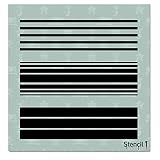
- THE QUALITY OF STENCIL1: Stencil1 was born from a tradition of handmade customized crafting, painting, and creating. With a lifetime of DIY experience creating stencils and art, Ed Roth started a business bringing the highest quality stencils to homes across the USA. 🇺🇸MADE IN USA
- DESIGNED FOR ARTS AND CRAFTS: These Stencil1 Stencils are perfect for simple to heavy-duty DIY projects. They're made of easy to clean mylar for painting or spray painting and have strong durability when painting or drawing on wood, paper, canvas, walls, glass, windows, skin, cloth, or any surface you can imagine!
- DECORATION STENCIL WITH MANY USES: Our craft stencils are perfect for all types of DIY crafts and projects. Common uses include wall decorations, furniture, wood signs, paper crafts and clothing but the possibilities are limitless. They can be used repeatedly and easy to clean, not easy to break! These stencils are durable quality, washable, reusable.
- LOVED ENDLESS CREATIVITY, USE WITH MANY MEDIUMS: Stencils make creating holiday decor easy & affordable, enjoy carefree crafting. Enjoy painting projects from small to large - celebrate your individual style. Use them with markers, pencils, color spray inks, paints, and any other drawing or painting accessories.
- GREAT DECORATION IDEA: HOME DIY LOVERS, Express your creativity, transform your home in minutes. Perfect for modern, country & farmhouse style decor projects. Stenciling is the secret to expressing your personal artistic style in the colors & mediums you love. Easy to use & reuse - quick, perfect letters & designs every time.
Texture and geometric alternatives
11. Texturize Pattern Generator
Texturize offers noise, stripes, dots, and waves, with workflows described for CSS, Blender, Unity, Unreal, Photoshop, and Figma. Its provider states that textures are royalty-free for personal and commercial use without attribution. Check the current license terms directly before publishing or using an asset commercially.
12. Thinkpixel SVG Pattern Generator
Thinkpixel is described as a browser-run generator for seamless, repeatable SVG background patterns. It provides SVG code and CSS data-URI output. It is an adjacent option for reusable vector backdrops, though its listing does not establish a particular stripe-specific control set.
Do these 3 things before closing this tab:
1Repair Windows errors before they cause bigger problems2Fix the driver behind crashes, sound loss and screen glitches3Clear out junk files and repair common Windows errors13. Mmmotif
Mmmotif generates isometric SVG patterns with controls for color, angle, scale, translation, and skew. It is a geometric texture alternative rather than a conventional stripe maker, useful when the background should have dimensional structure.
Best Value

- Layered Tiger Stripe Pattern Stencil Set: : You will receive three 11.8x11.8 inches/30x30 cm templates for daily themed drawings; the templates are layered with the concept of printing different tiger skin patterns on each of the three templates, which can be used individually or stacked on top of each other for a more layered look in your creations.
- Quality First: : Our DIY crafts are made of high quality materials, they are lightweight and convenient to carry, while the stencils are designed with rounded corners to ensure smoother edges and are safe for your family.
- Save Time to DIY: : The product is easy to use and can save more time when creat painting craft. Firstly, fix the stencils on the place where you need to paint, and then use brushes or other paint the pen to draw the required pattern, finally remove the template. A beautiful artwork is completed.
- Durable & Reusable : : Due to the high quality of our stencil, they are perfect for reuse and can be washed and dried with soapy water after use for the next use. Please note: Do not fold when storing to avoid creases that may affect subsequent use.
- Widely Use: : Not just stencils for walls, use these reusable stencils for painting on wood, canvas, furniture, floors or more. Can be applied to DIY your own craft projects such as festival cards, stamp, fabric painting, journal, notebook and can apply these to stamping, paper cuttings, cloth art painting, wall decor and more.
14. Rrrepeat
Rrrepeat creates repeating SVG shape patterns by interpolating between a configured start shape and end shape. It suits a changing geometric sequence better than a regular stripe. Review the resulting tile at the target scale to make sure the transition reads as intended.
15. Ooorganize
Ooorganize is an SVG grid-background tool with row, column, color, thickness, and style controls, including diagonal treatments and seamless tiling. It is suited to technical or structured backdrops where a grid is more useful than a decorative stripe.
16. Aaabstract
Aaabstract creates wavy backgrounds with complexity, color, and effects controls, and exports JPG, WebP, or PNG. It broadens the selection from repeating stripes to background imagery; choose it when you need a generated texture image rather than an editable stripe tile.
17. Rrreplicate
Rrreplicate is listed in the Mmmotif related-tools listing as a free SVG line-pattern generator with adjustable color, frequency, and stroke, plus copy or save SVG output. The listing supports treating it as a line-texture option, but not as a fully reviewed standalone tool.
18. BGJar
BGJar is listed in PatternIco’s related-tools listing as a free page-texture tool with SVG grids, curved backgrounds, and CSS-ready animated patterns. That listing supports its place as a broader background option, not as a stripe-specific generator.
Quick Recap
How to check a repeating pattern before using it
- Set the real display size. Tile the pattern at the size it will occupy in the design. A small preview can hide visual busyness that becomes obvious across a large surface.
- Inspect the tile edges. A tile is seamless only when its edges align as it repeats. Look for jumps in stripe spacing, broken lines, or mismatched colors, particularly with motifs the tool does not describe as reliably seamless.
- Check stroke weight and contrast. Very thin strokes may alias, while strong contrast behind text can compete with the content. Adjust width, opacity, and palette for the actual surface.
- Plan for color variants. If dark mode or multiple themes matter, check whether the output colors can be changed in CSS or whether each variation needs a separate export. Some encoded SVG/CSS output has colors baked in.
- Verify the output and terms. Confirm that the copied code or downloaded SVG/PNG works in the destination workflow, and read the tool’s current license and privacy terms before commercial or sensitive use.
Which format should you choose?
| Format | Useful when | Trade-off to consider |
|---|---|---|
| CSS gradients or CSS rule | You want a CSS-managed background and the tool provides code ready to copy. | Check whether the generated rule is easy to adjust for themes and whether the design repeats cleanly at the desired size. |
| SVG | You want editable vector markup or a reusable vector pattern fill. | Review tile behavior, stroke rendering, and whether selected colors are embedded in the output. |
| PNG or other raster image | Your workflow specifically needs an image tile or background asset. | Make sure the tile repeats cleanly at the target scale; raster output is not the same as editable vector markup. |

Product prices and availability are accurate as of the date/time indicated and are subject to change. Any price and availability information displayed on Amazon at the time of purchase will apply.




