Windows Errors? Fix Them Before They Spread
Recommended Free Tools
Outbyte PC Repair · freeRepair common Windows errors and clear accumulated junk for a smoother, more stable PC - no reinstall needed.
Fix My PC Now →ThatPainter is reader-supported. When you buy through links on our site, we may earn an affiliate commission. Learn More
The best website imagery does more than make a page attractive: it helps visitors understand what you offer, trust your work, find their way around, or take the next step. For a painting business, that might mean a carefully cropped room photo, a close-up of a finished surface, a project diagram, or a real customer testimonial photo.
There is no official industry list of the “top eight” image types. The useful way to classify them is by the job each visual performs. The eight categories below cover the most practical choices for business, service, ecommerce, portfolio, and editorial websites.
How to choose the right website image
Start with the page’s purpose, not the file format or the latest design trend. Ask:
Windows Errors? Fix Them Before They Spread
Repair common Windows errors and clear accumulated junk for a smoother, more stable PC - no reinstall needed.Free scan · no reinstallCrashes, No Sound, or Screen Glitches?
Random freezes, missing sound and display glitches usually trace back to one bad driver. Find and replace yours safely.Free scan · under a minute- What must this page accomplish—explain, sell, build trust, help someone complete a task, or create atmosphere?
- What does the visitor need to see: the product, the result, the process, the people, or evidence?
- Does the visual carry information, or is it purely decorative?
- Can its meaning be made available to people using assistive technology?
- Will it crop safely on a phone and load at an appropriate size?
- Do you have permission to use it, and is it truthful and current?
The same asset can belong to more than one category. A photograph of a freshly painted kitchen might be product or service imagery, portfolio evidence, and a homepage hero. Its role depends on where and how it is used.
#1 Best Overall

- 50 PACK - Bulk pack of 50 white heavy cardstock frames with a satin finish
- CLEAN LOOK - The perfect color to display your photos in any setting
- DISPLAYS 4 X 6-INCH PHOTOS VERTICALLY OR HORIZONTALLY - Insert into the short side opposite the easel; snug fit so photo stays put in 3.5 X 5-inch display window
- CUSTOMIZABLE - Use markers, crayons, colored pencils, stickers, rubber stamps, or other embellishments such as fake jewels, foam shapes, buttons, ribbon, etc.
1. Hero and banner imagery
Primary purpose: establish the subject of a page quickly and give the main message visual context.
Hero imagery works well on homepages, campaign landing pages, service pages, destination pages, and editorial features. For a painting contractor, a strong hero might show a recognizable room with a clean, finished wall and enough negative space for an HTML headline and call to action. A service page could show the result the customer wants rather than an unrelated generic worker.
Use it when: the image reinforces the page’s main proposition.
Avoid it when: it is only filling a large rectangle or delays the information visitors came to find.
Common failures include generic stock photographs, busy backgrounds behind text, text baked into the image, and subjects that disappear when the design switches to a narrow mobile crop. A full-width hero can also become the page’s Largest Contentful Paint element, so visual impact should not come at the expense of loading speed. Reserve its space with intrinsic dimensions and do not blindly apply lazy loading to an important above-the-fold image. See web.dev’s responsive-image guidance.
2. Product and service imagery
Primary purpose: answer “What am I buying?” or “What will I receive, experience, or achieve?”
Use this category on product pages, service pages, pricing sections, booking flows, portfolios, case studies, and feature pages. A painting website might show several angles of a completed project, close-ups that reveal surface quality, preparation work, trim details, or a before-and-after sequence where the claims are supportable.
Strong service imagery is accurate, consistent, and specific. Match the photograph to the service and location described. If a visitor selects a particular paint color, room type, or finish, the image should not imply a result that the service does not provide.
Common mistakes: showing only a decorative lifestyle scene, hiding important limitations, using inconsistent scale and lighting, or displaying a mockup that suggests a feature or finish the business does not offer.
For galleries, write concise, differentiated alternative text. Do not turn it into a list of search keywords. For example: “Navy blue built-in cabinets and white trim in a renovated kitchen” is more useful than a string of repeated terms such as “best painter kitchen painting cabinets.”
3. People and lifestyle imagery
Primary purpose: communicate audience, identity, emotion, trust, and real-world use.
The Tool Desk
Outbyte Driver Updater FREEFix the driver behind crashes, sound loss and screen glitchesFind Drivers →Outbyte PC Repair FREEClear out junk files and repair common Windows errorsFree Scan →People imagery suits homepages, testimonials, About pages, healthcare and nonprofit sites, hospitality, education, community organizations, and employer-brand pages. A painting business could show a real crew preparing a room, a homeowner reviewing color samples, or a customer enjoying a completed space—with permission.
The strongest images connect people to the service. They show relevant environments and believable activity rather than simply placing smiling models beside a product. Representation should be relevant and credible, not a checklist of demographics or a substitute for understanding the audience.
Watch for: unclear consent, culturally inaccurate representation, staged scenes that feel disconnected from the service, and photos that imply medical, financial, or personal outcomes you cannot substantiate.
Rank #2
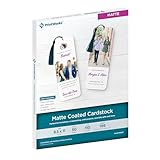
- Whether you're making cards, invitations, or crafts, our matte cardstock paper offers the clean look your creation needs. This matte coated cardstock delivers photo-quality prints with sharp detail
- Includes 50 sheets of 199 gsm cardstock (like 110 lb index cardstock). Its smooth, white matte finish ensures crisp text and vibrant colors, making school, craft, and office projects stand out
- With a uniform texture, this double-sided card stock matte photo paper 8.5" x 11" is compatible with inkjet and die cut machines that support heavier, coated stocks. Refer to machine specifications
- This matte photo cardstock is FSC certified, ensuring lasting results while also supporting green forestry practices. Prints dry instantly, so no need to worry about smudges or smears
- PrintWorks matte cardstock photo paper 8.5" x 11" has been proudly made in the USA since 1964 using domestically sourced, environmentally friendly materials for reliable quality and sustainability
Stock photography can be useful when the subject is generic and time or budget is limited. Original photography is usually better when real customers, staff, locations, or work processes are the differentiator.
Free tools Windows power users keep installed
One-click scans. No signup required.
4. Brand and editorial photography
Primary purpose: create a recognizable visual identity that generic stock imagery cannot provide consistently.
Brand photography belongs on About pages, team pages, newsrooms, campaigns, editorial articles, employer-brand pages, and premium service websites. For a painting company, a reusable library might include portraits, vehicles, tools, preparation work, finished rooms, detail shots, and team members interacting with customers.
Plan a system rather than commissioning a random collection of attractive photos. Consistent lighting, color treatment, composition, and aspect ratios make a site feel intentional. Include a mixture of portraits, environments, details, and action so every page does not repeat the same group photograph.
Trade-off: original photography costs more upfront and needs updating when people, locations, or services change. It can nevertheless create a distinctive library for years. Stock is faster and cheaper, but recognizable or overused images can weaken differentiation.
Quick wins for a faster PC:
Clear out junk files and repair common Windows errorsFree Scan →Scan for outdated or missing drivers - takes under a minuteDriver Scan →Repair Windows errors before they cause bigger problemsFix Now →5. Illustrations, icons, and decorative graphics
Primary purpose: explain abstract ideas, reinforce brand personality, or add visual rhythm where photography would be misleading or impractical.
Illustrations are useful for software and technology explanations, onboarding, empty states, feature lists, editorial explainers, and process descriptions. A painting site might use a simple illustration to show the stages of preparation, priming, painting, and cleanup.
Icons should reinforce nearby labels, not replace them when their meaning is unfamiliar. Keep illustrations within a coherent visual system; mixing unrelated styles makes a site feel assembled rather than branded.
Use it when: the idea is abstract, technical, process-based, or deliberately brand-led.
Quick wins for a faster PC:
Clear out junk files and repair common Windows errorsFree Scan →Fix the driver behind crashes, sound loss and screen glitchesFind Drivers →Repair Windows errors before they cause bigger problemsFix Now →Choose another type when: visitors need proof of a physical result. An illustration of a beautiful room is not evidence that a contractor produced that finish.
SVG is generally suitable for logos, icons, and simple vector graphics because it scales cleanly. Photographs and many detailed textures are better served as raster images. See MDN’s image-format guidance.
6. Diagrams, charts, maps, and infographics
Primary purpose: communicate structured information, relationships, processes, geography, or data.
Use these visuals in reports, technical documentation, process pages, location guides, timelines, research, and comparison content. A painting company could use a service-area map, a preparation workflow, or a visual guide comparing finish types—but the explanation must remain available in text.
Do these 3 things before closing this tab:
1Clear out junk files and repair common Windows errors2Scan for outdated or missing drivers - takes under a minute3Repair Windows errors before they cause bigger problemsA useful chart or infographic has a clear title, an obvious takeaway, legible labels, adequate contrast, and distinctions that do not depend on color alone. Include the source and date when the data comes from elsewhere.
Rank #3
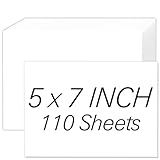
- [Premium 5x7 Cardstock]: This pack contains 110 sheets of premium 5x7 cardstock paper white, offering the perfect size for a wide range of creative projects. The crisp white color enhances colors and designs, making it ideal for making personalized invitations, greeting cards, and photo frames. white cardstock 5x7 smooth surface ensures a high-quality finish for all your creations
- [Durable & Double-Sided Design]: Aidunmis 5x7 cardstock is designed with a double-sided, blank layout, providing plenty of space for your creative expressions. At a solid 200 GSM thickness, white card stock 5x7 offers excellent durability and prevents ink bleed-through, making it perfect for both writing and artwork. This sturdy, thick cardstock 5x7 is ideal for multi-layered crafts or projects requiring heavy-duty paper
- [Versatile for Crafts & Projects]: Whether you're crafting custom wedding invitations, creating holiday greeting cards, or working on scrapbooking projects, this 5x7 card stock paper is versatile enough to handle all your needs. white cardstock paper 5x7 high-quality surface provides a smooth, consistent texture for cutting, folding, or stamping, making it an excellent choice for DIY enthusiasts and crafters alike
- [Printer-Friendly]: This card stock 5 x 7 works seamlessly with both inkjet and laser printers, ensuring high-quality, vibrant prints. Whether you’re printing photos, artwork, or text, this thick paper ensures that your designs are sharp and well-defined, providing a professional touch to your printed materials. Cardstock printer paper is the perfect paper for creating custom stationery, business cards, and more
- [Suitable for Various Creative Environments]: Designed for use in multiple environments, this 5x7 cardstock bulk is ideal for schools, offices, or home projects. Heavy cardstock can be used for a wide range of applications, from educational materials and office presentations to home art projects and family crafting sessions. Whether you’re a teacher, business professional, or hobbyist, this printable cardstock provides the flexibility you need to bring your ideas to life
Do not make visitors pinch and zoom a dense graphic or turn an entire article into one inaccessible image. Provide a visible summary, nearby HTML text, and, for dense data, an accessible table or structured alternative. W3C explains several accessibility risks associated with infographics, including non-text content, color, contrast, and images of text.
7. Screenshots, mockups, and interface imagery
Primary purpose: demonstrate software behavior, explain a workflow, document a problem, or show a digital outcome.
Screenshots belong on software product pages, tutorials, help centers, case studies, app promotions, feature comparisons, and portfolios. A painting business may use them to show an online estimate form, scheduling process, color consultation tool, or customer portal.
What’s actually slowing this PC down?
Pick the symptom - the matching free tool is one click away.
Crop screenshots to the relevant feature, annotate sparingly, and accompany them with written instructions. Update them whenever the interface changes. Full-screen captures often make important text too small to read.
Remove names, email addresses, customer records, API keys, credentials, browser notifications, private URLs, and other sensitive information before publication. Use realistic but clearly non-sensitive sample data.
Because screenshots contain text, lossless WebP or PNG is often preferable to lossy compression that makes lettering fuzzy. MDN discusses this distinction in its image-format reference.
8. Social proof and user-generated imagery
Primary purpose: provide evidence from customers, communities, events, or real-world use.
Free tools Windows power users keep installed
One-click scans. No signup required.
Customer photographs, event images, community posts, and project submissions can support reviews, case studies, travel pages, marketplaces, nonprofit sites, and social galleries. For a painting website, a homeowner’s photograph of a completed room can add context to a testimonial—provided permission and attribution are clear.
Connect the visual to a specific claim, customer, date, or project. Do not present one unusually positive example as typical without qualification. Moderate submissions for offensive, unsafe, misleading, or irrelevant content, and maintain a takedown process.
Social embeds can break, slow pages, or become outdated. Keep an independent image and text fallback for important proof rather than relying entirely on a third-party feed.
Useful versus decorative imagery
A useful image adds information, orientation, evidence, emotion, or task support. A decorative image adds atmosphere but is not required to understand the page.
Decorative visuals should not carry essential copy, instructions, prices, legal terms, or calls to action. Keep important wording in HTML whenever possible. W3C distinguishes informative, decorative, and functional images, while WCAG generally favors real text over images of text except in cases such as logos or essential visual presentation.
An image that looks ornamental may still communicate a warning, location, process stage, status, product identity, or outcome. Decide its alternative text from its role on the page—not from its file type.
Make every image work on the web
Write the correct alternative text
- Informative: describe the essential meaning.
- Functional: describe the action or destination, such as “View the exterior painting portfolio.”
- Decorative: use an empty
altattribute:alt="". - Complex: provide concise alt text plus nearby text or a longer description.
- Charts and infographics: state the conclusion, values, process, or data in accessible text.
- Logos: identify the organization or product without unnecessary descriptions of colors or shapes.
Google recommends considering accessibility as part of image SEO, but alt text is not a keyword field. Its primary purpose is equivalent access, with surrounding page content also helping search engines understand an image. See Google’s image-search documentation.
Rank #4

- 【30 Black Paper Picture Frames in One Set】This set includes 30 black 4x6 inch paper frames, plus jute twine and wooden clips. Create a stunning black photo banner up to 15 feet long – perfect for graduation party decor, birthday celebrations, weddings, or a modern home gallery wall. The sleek black color adds elegance to any display.
- 【High-Quality Black Cardstock】Made from thick, durable black cardstock that resists tearing and creasing. The deep black finish gives a sophisticated, gallery‑ready look. Blank frames are ready to decorate with metallic pens, white ink, paint, or stickers for personalized graduation picture frames or DIY projects.
- 【Easy to Hang, No Tools Needed】Simply insert your 4x6 photos into each black paper frame, attach the frames to the included twine using the wooden clips, and hang across walls, mantels, windows, or party backdrops. The twine is adjustable – cut to any length. Perfect for hanging photo display with clips.
- 【Standard 4x6 Inch Size】Each black picture frame fits standard 4x6 photos. The visible display area is approximately 3.1 x 4.3 inches, ideal for snapshots, polaroids, printed pictures, or handmade art cards. Bulk 30 frames give you plenty for collage walls, graduation photo boards, or classroom displays.
- 【Versatile for Any Event & Décor】Use for graduation party photo banner, birthday photo banner, wedding guest photo display, baby shower, anniversary, or as everyday wall art. The black color complements farmhouse, minimalist, or modern style. Swap photos easily – reuse the frames again and again. Also great for office cubicles, dorm rooms, and creative classrooms.
Choose a format for the content
- JPEG: suitable for photographs where some lossy compression is acceptable.
- PNG: useful for transparency, screenshots, and graphics requiring lossless quality.
- WebP: a broadly useful modern raster format with lossy and lossless options.
- AVIF: useful when your delivery stack supports it and strong compression is valuable.
- SVG: appropriate for logos, icons, and simple vector illustrations.
- GIF: suitable for limited-color animation in some cases, though longer or larger motion assets are often better served by modern video or animated-image alternatives.
No format is universally best. Consider the content, transparency, animation, browser support, compression settings, and fallback requirements. A file format describes how an asset is delivered; it does not describe the image’s communicative job.
Recommended Free Tools
Serve responsive images
Do not send a desktop-sized image to every phone. With srcset and sizes, the browser can select an appropriate candidate:
<img
  src="/images/team-1200.jpg"
  srcset="
    /images/team-480.jpg 480w,
    /images/team-800.jpg 800w,
    /images/team-1200.jpg 1200w,
    /images/team-1600.jpg 1600w
  "
  sizes="(max-width: 700px) 100vw, 50vw"
  alt="A painting team reviewing color samples around a table"
  width="1600"
  height="1067"
>
Use srcset when the composition is the same at different resolutions. Use <picture> when mobile needs a different crop or composition:
<picture>
  <source media="(max-width: 700px)" srcset="/images/hero-mobile.webp">
  <source type="image/avif" srcset="/images/hero-desktop.avif">
  <img src="/images/hero-desktop.webp"
       alt="A freshly painted living room with natural light"
       width="1600" height="900">
</picture>
Always include a valid src fallback. Google specifically recommends a fallback URL when using responsive markup. See web.dev’s responsive-image article and MDN’s image implementation guide.
Reserve space and lazy-load carefully
Set accurate width and height attributes so the browser can reserve the aspect ratio and reduce layout movement:
<img
  src="/images/testimonial.webp"
  alt="Customer standing beside a newly painted front door"
  width="800"
  height="600"
  loading="lazy"
  decoding="async"
>
Lazy loading is generally appropriate for below-the-fold imagery. It is not an automatic improvement for the main hero or another important LCP image; delaying that asset can make the page feel slower. Resize images to their rendered dimensions, compress them appropriately, and avoid unnecessary transformation variants. More practical guidance is available from web.dev’s image-performance documentation.
Keep text and controls in HTML
Use HTML for headlines, prices, instructions, legal wording, labels, and calls to action. HTML text can be searched, selected, resized, translated, indexed, and read by assistive technology. Use CSS backgrounds for presentational decoration; use an HTML <img> when the image is meaningful content. See web.dev’s guidance on HTML images.
Rights, privacy, and ethics
Before publishing, confirm that the license covers the intended website, geography, duration, audience, and commercial use. “Royalty-free” does not mean unrestricted or necessarily free of charge. Stock vendors can distinguish between standard and enhanced licenses, and uses involving merchandise, resale, templates, paid advertising, or prominent commercial display may have additional requirements.
- Check whether model and property releases are needed.
- Do not imply that a person endorses a service without permission.
- Review trademark and logo restrictions.
- Obtain permission and follow attribution rules for customer and user-generated images.
- Remove personal data from screenshots, dashboards, tickets, and browser windows.
- Avoid stereotypes, misleading before-and-after claims, and invented customer scenarios.
AI-generated imagery needs the same scrutiny. Review the provider’s current commercial-use terms, likeness and trademark issues, brand-safety risks, inaccurate products or anatomy, and disclosure expectations. Never use an invented person or scene as fake evidence of a real customer, project, location, or result.
The Tool Desk
Outbyte PC Repair FREEClear out junk files and repair common Windows errorsFree Scan →Outbyte Driver Updater FREEScan for outdated or missing drivers - takes under a minuteDriver Scan →Which approach should you choose?
| Need | Usually appropriate | Main trade-off |
|---|---|---|
| Distinctive trust and real work | Original photography | Higher production cost and maintenance |
| Speed and broad subject coverage | Stock photography | Generic appearance and licensing limits |
| Abstract concepts or a controlled brand world | Illustration | Requires style consistency and custom work |
| Proof of software behavior | Screenshot or mockup | Ages quickly and may expose sensitive data |
| Relationships, processes, or data | Diagram, chart, or map | Needs accessible and mobile-friendly alternatives |
| Authentic community evidence | User-generated imagery | Requires permission, moderation, and attribution |
| Stable information and fast loading | Static image | Less expressive than motion |
| Demonstrating movement or atmosphere | Animation or video | More bandwidth, distraction, and accessibility work |
Tools by task
Separate asset creation, licensing, and technical delivery. They are different problems.
Canva
Canva is aimed at quick banners, social graphics, simple illustrations, and infographic drafts. Its Free, Pro, and Business offerings and prices can change by region and billing period; check the current buying page. It is primarily a creation and template platform, not an image CDN or large-scale delivery layer.
Adobe Express
Adobe Express suits branded content teams and people already using Adobe products. Adobe lists Free, Premium, Teams, and Enterprise options, and says Premium includes features such as premium templates, brand kits, generative credits, and AI-powered design tools. Review the current plan and individual asset licenses at Adobe’s support page.
Shutterstock
Shutterstock is appropriate when you need a broad licensed stock library. Plans, image packs, prices, and usage rights vary. Its license and billing guidance explains why “royalty-free” should not be treated as unrestricted use.
Cloudinary
Cloudinary addresses a different need: asset management, automated transformations, responsive variants, APIs, and CDN delivery. It can suit ecommerce catalogs and larger sites, but may be excessive for a small brochure website with a few manually maintained images. Its pricing uses usage-related credits, so storage, transformations, and bandwidth should be planned against actual needs.
A small painting website may need no specialized tool: original photographs, a CMS, a sensible compression workflow, and native responsive-image markup can be enough.
Quick Recap
Final website imagery audit
Review every important image with this checklist:
- What job is it doing?
- Is it content or decoration?
- Does it show something the words cannot?
- Is it truthful, current, and relevant to this page?
- Do you have the right to use it?
- Does it have an appropriate accessible alternative?
- Is essential text also present in HTML?
- Does it crop correctly on small screens?
- Is it served at an appropriate size and format?
- Does it have dimensions that reserve its space?
- Should it be lazy-loaded, or is it important above the fold?
- Can the team update or remove it when the product, interface, people, or data changes?

Product prices and availability are accurate as of the date/time indicated and are subject to change. Any price and availability information displayed on Amazon at the time of purchase will apply.




