Windows Errors? Fix Them Before They Spread
Repair common Windows errors and clear accumulated junk for a smoother, more stable PC - no reinstall needed.Free scan · no reinstall
Crashes, No Sound, or Screen Glitches?
Random freezes, missing sound and display glitches usually trace back to one bad driver. Find and replace yours safely.Free scan · under a minute
ThatPainter is reader-supported. When you buy through links on our site, we may earn an affiliate commission. Learn More
No—don’t shake a Polaroid picture while it develops. Keep it flat, handle it by the frame, and shield it from bright light. The film’s developer is still wet after ejection, and disturbing it can cause blobs or distortions near the image’s edges. Follow the development time printed on your film packaging.
Why you shouldn’t shake a Polaroid picture
Shaking isn’t part of the recommended development process. Polaroid says the wet developer chemistry inside a newly ejected photo can be disturbed by shaking, leading to blobs or distortions along the picture’s edge. Keep the photo flat and avoid bending, creasing, squeezing, or shaking it as it develops. Polaroid’s distortion guidance explains the risk.
What to do after a Polaroid photo comes out
- Leave it under the film shield initially. The film remains light-sensitive after ejection. Keep it under the camera’s film shield for the initial period specified for your camera, then continue shielding it as it develops. Polaroid’s handling guidance covers shielding and distortion prevention.
- Set it down flat. Hold the picture by its frame and place it on a stable surface. Don’t shake, flex, crease, or squeeze it.
- Wait for the time printed on the film packaging. Development time depends on the film, so there is no single time that applies to every pack. Check the instructions supplied with yours. Polaroid’s development-time guidance directs users to the film-specific instructions.
Check film compatibility before buying
Film types are not universal across Polaroid cameras. For example, Polaroid’s guidance for the Now names both i-Type and 600 film as compatible. Check the instructions for your specific camera model before buying a pack; don’t assume that a film type supported by one camera will fit yours. Polaroid Now film compatibility.
Where the shaking idea came from
Shaking became a familiar image of instant photography, but Polaroid’s current handling advice says to shield a developing picture rather than shake it. The title also resembles a popular song lyric, but the available sources do not establish a specific song, artist, or exact lyric, so it would be misleading to name one.
#1 Best Overall
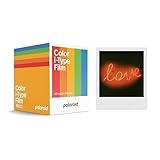
- 48 Photo Bulk Pack- Our classic Polaroid film is back with a new formula exclusively for I-Type cameras with 48 classic iconic white framed photos.
- New Classic- I-Type film uses Polaroid's latest chemistry to provide richer colors, tones, and contrast. I-Type film is not compatible with vintage Polaroid cameras.
- Light it up- Polaroid instant film loves light. The more light in your shot, the better your photo will turn out. Always shoot in bright light or use the camera flash.
- Develop- Photos will appear blank at first. Photos develop within 15 minutes. Shield photos from the light and place them face down as they develop.
- Create- Every photo you create is rich, textured, and unique. Unpredictable, imperfect, and impossible to reproduce, just like you.
For historical context, Hackaday’s May 9, 2022 account says Polaroid began producing instant-film cameras in 1948 and describes the SX-70, introduced in 1972, as the first truly instant SLR. Hackaday also says an SX-70 picture could be available about a minute later; that is historical context, not a universal development-time instruction for today’s film. Hackaday’s 2022 article.
Quick Recap
Best Value

- Designed for use with Fujifilm instax mini series cameras
- Picture size: 62mm x 46mm
- Film size: 86mm x 54mm
- Excellent Sharpness
- 10 Pictures Per Pack
Rank #4

- DOUBLE PACK FILM: Polaroid Instant Color Film for I-Type cameras with two packs of 8 count film for a total of 16 photos.
- LIGHT IT UP: Polaroid Instant Film loves light. The more light in your shot, the better your photo will turn out. Always shoot in bright light or use the camera flash.
- DEVELOP: All photos appear blank at first. Photos develop within 15 minutes. Shield photos from the light and place them face down as they develop.
- CREATE: Every photo you create is rich textured and unique. Unpredictable, imperfect, and impossible to reproduce.
- STORE CHILLED: Temperature affects how the film works so keep it stored chilled in the fridge, do not freeze.
Rank #3
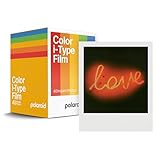
- Updated Classic- The classic Polaroid film is back with a new formula exclusively for I-Type cameras with 40 classic iconic white framed photos.
- New Classic- I-Type film uses Polaroid's latest chemistry to provide richer colors, tones, and contrast. I-Type film is not compatible with vintage Polaroid cameras.
- Light it up- Polaroid instant film loves light. The more light in your shot, the better your photo will turn out. Always shoot in bright light or use the camera flash.
- Develop- Photos will appear blank at first. Photos develop within 15 minutes. Shield photos from the light and place them face down as they develop.
- Create- Every photo you create is rich, textured, and unique. Unpredictable, imperfect, and impossible to reproduce, just like you.
Rank #2

- 24 INSTANT PHOTOS IN THE ICONIC WHITE FRAME: triple pack Polaroid Color i-Type Film with Polaroid's signature white border. Capture and create the beautifully imperfect in dreamlike color, nostalgic texture and one-of-a-kind Polaroid style.
- COLOR INSTANT FILM FOR POLAROID I-TYPE CAMERAS: compatible with Polaroid Now, Now+, Flip and I-2 cameras, plus the Polaroid Lab printer. Polaroid i-Type film is made in the last Polaroid film factory in the world.
- 100% POLAROID CHEMISTRY: every photo develops with rich color, unique texture and the iconic Polaroid aesthetic. This Polaroid camera film creates results that are unpredictable, imperfect and impossible to reproduce.
- POLAROID CAMERA FILM LOVES LIGHT: the more light in your shot, the better your photo. Always shoot in bright light or use your camera's flash, your film will thank you for it.
- DEVELOP IN 10-15 MINUTES: photos appear blank at first - that's part of the magic. Shield them from light and place them face down while they develop to reveal the iconic Polaroid image.

Product prices and availability are accurate as of the date/time indicated and are subject to change. Any price and availability information displayed on Amazon at the time of purchase will apply.




