Free tools Windows power users keep installed
One-click scans. No signup required.
What’s actually slowing this PC down?
Pick the symptom - the matching free tool is one click away.
ThatPainter is reader-supported. When you buy through links on our site, we may earn an affiliate commission. Learn More
To add text in Microsoft Paint, open or create an image, choose the Text tool, click the canvas where the words should begin, then type and format them using the toolbar. When finished, select another tool to leave text-entry mode and save the image.

How to insert text in Paint
- Open Paint from the Start menu. Open an existing picture, or start with a blank canvas.
- Choose the Text tool in Paint’s toolbar. Its icon and location can vary by app version.
- Click the canvas where you want the text to begin. Paint displays a text box.
- Type your wording. While the text box is active, use the toolbar options to choose the font, size, and color.
- When you are done, choose another tool, such as Select, to finish entering text. The specific control may vary by version.
- Save the edited image. Save a copy first if you want to preserve the original before experimenting.
Make the text easy to read
Choose a font size and color that stand out against the image. A less detailed area of the picture can make a caption or label easier to read. Check the wording and placement while the text box is still active.
What to know about Paint versions
Paint’s interface and features have changed over time, so older screenshots or instructions may not match your installed app. Follow the controls shown in your version. Microsoft says Paint is included in Windows and documents the Text tool as a way to add text, then customize its font, size, and color using the toolbar. Microsoft’s Paint page
#1 Best Overall

- 10MM Car Window Markers: Whether you want to send a special message or customize your car, 8 Jumbo liquid chalk markers will get the job done well. Each marker features a 10mm 3-in-1 large nib and vibrant neon colors. 3 in one Nib - The Rectangular Tip enables you to use the Markers as 3 Tips - Wide Lines, bold lines & thin fine lines, making these chalk markers versatile for all your painting needs.
- High Quality Ink & Non-Toxic: window markers are crafted with top-notch water-based ink that's dustless, non toxic formula is both eco-friendly and safe for use at home. For Adults Coloring & Painting Canvas, DIY crafts projects. These car paint pens are safe for kids and offer more ink capacity than others big chalk markers pen. No more worries about running out of ink at crucial moments, ensuring your car chalk window markers last longer.
- Versatility Across Surfaces: Make your writing or drawing stand out with Chalk Markers. These brilliant chalkboard markers mark brightly on black boards, light boards, white boards, windows, glass, and more. these jumbo chalk markers prove their versatility on any non-porous surface. Depend on these markers for eye-catching displays or writing in the classroom, your business, or home.Ideal for car decoration, whiteboards, chalkboards, bistro boards, Christmas banners, posters, and various DIY arts and crafts.
- Effortless Cleanup: Our water-based ink is washable and delivers smudge & dust free - flowing lines that go on smooth and quick dry within minutes. What makes using Liquid Chalk so unique is that you can wet wipe your sign writing art away with a damp cloth, or for more efficiency you can use the Rainbow Blackboard, Whiteboard and Glass Cleaner.Remember to cap the Wet erasable glass pen window marker after each use to prevent drying out.
- Purchase without Risk: Your contentment is our prime concern. These jumbo chalk markers for cars also make splendid gifts for family, neighbors, or friends on occasions like birthdays, parties, anniversaries, Halloween, Thanksgiving, Christmas, or New Year's. Any dissatisfaction arise with your Celepen chalk car window paint markers, don't hesitate to contact us. We will efficiently address all your concerns within 24 hours.
Microsoft has also added features such as layers and support for transparent PNGs over time. Availability and controls can depend on the installed app build. Microsoft’s Windows Insider Blog
Add text to a screenshot
If your picture is a screenshot, Microsoft documents opening it in Paint from Snipping Tool using Edit > Edit with Paint. Then use Paint’s Text tool to add a label or caption. Microsoft’s Snipping Tool guide
Rank #2

- Versatile Window Paint Marker: Cosco window paint marker is perfect for creating custom messages and decorations on car windows, mirrors, storefront windows, and more, making it ideal for weddings, parades, parties, and other special occasions.
- Package Quantity: This product includes one Cosco window paint marker, ensuring you have everything you need to start creating eye-catching designs and messages.
- Convenient Package Dimensions: The marker comes in a compact size, measuring 4.7 cms (L) x 6.3 cms (W) x 21.4 cms (H), making it easy to store and carry around for on-the-go creativity.
- 9/16" Chisel Point: The marker contains a 9/16" chisel point, allowing you to create both thin and bold lines, adding versatility and precision to your designs.
- Rain-Resistant and Removable: The paint used in the marker is rain-resistant, ensuring your creations stay vibrant and clear even in changing weather conditions. Plus, it is easily removable with a wet cloth, allowing for hassle-free clean-up and adjustments to your designs. Enjoy the fun and creative freedom with Cosco window paint marker, perfect for indoor or outdoor use on windows, mirrors, and whiteboards. Conforms to ASTM D-4236 for your peace of mind.
FAQ
How do I add words to a picture in Windows 11?
Open the picture in Paint, select the Text tool, click the canvas, type your words, and use the toolbar to set the font, size, and color. Select another tool when finished.
Can I change the text before I finish entering it?
Make wording and formatting changes while the text box is active. Paint’s behavior after text entry is finished can vary by version, so save a copy if you expect to revise the image later.
Rank #3
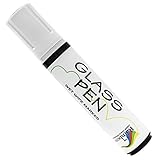
- WINDOW PAINT MARKERS: Write, draw, and decorate any glass surface with a rainbow of long-lasting colors
- MULTIPLE SURFACES: Arts and craft pens for glasses, mirrors, window panes, marker boards and more (Note: Surfaces must be clean & dry for Glass Pen to write smoothly)
- FOR EVERY OCCASION: Indoors and outdoor pens for birthday party, graduation, anniversaries, wedding decorations, parades & more.
- RICH PIGMENTS: Glass tip markers available in 10 vibrant colors with reversible 5mm Narrow or 15mm Wide Jumbo nibs
- ADVANCED FORMULA: Non-toxic, water-based ink that is safe to use indoors
Why does my Paint toolbar look different from a tutorial?
Paint’s interface has changed over time. The Text tool’s icon and location may differ between app builds, so look for the Text command in your installed version rather than relying on an older screenshot.
Do I need a special accessory to type in Paint?
No. Paint’s built-in Text tool lets you enter wording with your computer’s available text-input method; no special accessory is required.
Quick Recap
Rank #4

Product prices and availability are accurate as of the date/time indicated and are subject to change. Any price and availability information displayed on Amazon at the time of purchase will apply.




