Windows Errors? Fix Them Before They Spread
Outbyte PC Repair · freeRepair common Windows errors and clear accumulated junk for a smoother, more stable PC - no reinstall needed.
Fix My PC Now →ThatPainter is reader-supported. When you buy through links on our site, we may earn an affiliate commission. Learn More
Adobe announced Photoshop Elements 2019 and Premiere Elements 2019 on October 2, 2018. The update emphasized easier onboarding and guided creative projects: Photoshop Elements added four Guided Edits, while Premiere Elements added two and redesigned Quick Edit around Smart Trim and a simplified Sceneline. This is a historical overview of the 2019 editions, based on Adobe’s release description—not independent performance testing.
What changed in Photoshop Elements 2019?
Photoshop Elements 2019 added four Guided Edits, bringing the announced total to 53 step-by-step guides. The new recipes covered several distinct projects:



- Fill letterforms with different photos to create multi-photo text.
- Make a meme.
- Turn part of a photo into a sketch.
- Add text and border overlays.
Adobe also redesigned collage creation to reduce steps and added collage templates and controls for frames and backgrounds. For a painter or image-maker, these additions point toward guided, template-led projects and photo presentation rather than a claim of professional Photoshop feature parity.
Quick wins for a faster PC:
Clear out junk files and repair common Windows errorsFree Scan →Fix the driver behind crashes, sound loss and screen glitchesFind Drivers →Repair Windows errors before they cause bigger problemsFix Now →Adobe said downloads and installation were faster and that common photo-editing performance improved, but its announcement supplied no measurements. Treat those as Adobe’s descriptions, not quantified or independently verified results. The release also added HEIF image import and editing on macOS.
#1 Best Overall
What changed in Premiere Elements 2019?
Premiere Elements 2019 reshaped Quick Edit around two routes for assembling a video:
- Smart Trim: identifies footage Adobe considers the best and guides the user through trimming it.
- Simplified Sceneline: provides a route to combine clips, photos, titles, and music into a production for sharing.
Two new Guided Edits brought Premiere Elements’ stated total to 20. They teach a glass-pane overlay effect and a Luma fade transition. Adobe also listed variable frame rate support, HEIF image import and editing on macOS, and HEVC video support on macOS 10.13 and later. These format statements are platform-qualified; they should not be read as universal support across operating systems.
How do the two 2019 apps differ?
The practical division is straightforward: Photoshop Elements is for photos, collages, and image-based projects; Premiere Elements is for combining video clips and stills, adding titles and music, and applying video effects. Both lean on guided workflows, but their new features address different finished work.
Recommended Free Tools
| App | New Guided Edits | Announced total | Notable workflow changes |
|---|---|---|---|
| Photoshop Elements 2019 | 4 | 53 | New creative project guides and redesigned collage creation |
| Premiere Elements 2019 | 2 | 20 | Quick Edit reorganized around Smart Trim and a simplified Sceneline |
The counts and feature descriptions are from Adobe’s October 2, 2018 announcement. Adobe’s Elements team described the launch as “The Elements team is excited to announce the release of Photoshop Elements 2019 & Premiere Elements 2019.” No benchmark or export-time result accompanied the announcement.
Independent reader supportYour contribution helps us test, update, and keep practical guides available for everyone.What should you check before using or buying a 2019 copy?
These are legacy editions, not the current Elements release. Check the exact older-version system requirements for the operating system and hardware you plan to use; do not infer 2019 compatibility from Adobe’s current product-family page. Adobe maintains an older-versions requirements resource at Photoshop Elements system requirements: older versions. The current Elements product-family page describes newer software, not the feature set or licensing terms of 2019.
Adobe’s 2019 release announcement is the source for the historical feature list and platform claims: Introducing Adobe Photoshop Elements 2019 & Premiere Elements 2019. It does not establish whether a 2019 bundle is currently available from a particular seller, whether a license is valid, or whether every workflow works on present-day systems. Verify those points for the specific copy and setup.
Quick Recap
Best Value
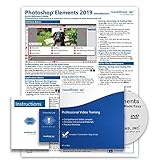
- Over 7 hours of video lessons (186 individual lessons)
- PDF Instruction Manual (257 Pages)
- Laminated Quick Reference Guide
- Introductory through advanced material
- Includes Optional Practice Exam, Final Exam, Certificate of Completion

Product prices and availability are accurate as of the date/time indicated and are subject to change. Any price and availability information displayed on Amazon at the time of purchase will apply.
What’s actually slowing this PC down?
Pick the symptom - the matching free tool is one click away.




