Do these 3 things before closing this tab:
1Scan for outdated or missing drivers - takes under a minute2Repair Windows errors before they cause bigger problems3Fix the driver behind crashes, sound loss and screen glitches
ThatPainter is reader-supported. When you buy through links on our site, we may earn an affiliate commission. Learn More
The XP-Pen Note Plus CT860B feels most convincing as a paper notebook that also saves your pen strokes digitally. In a 2026 hands-on comparison, EL PAÍS reviewer Laura Pajuelo found its paper-writing feel close to a traditional notebook and liked that notes could sync after offline use. Handwriting-to-text conversion was less dependable: clear writing worked better, while fast meeting notes could need editing. That distinction matters—the pad can capture strokes without turning every handwritten page into clean, editable text.
Does the XP-Pen Note Plus feel like writing on paper?
In her 2026 comparison, technology journalist Laura Pajuelo described writing on the Note Plus as close to using a traditional notebook. She reported writing more than ten pages during a workday without noticing a meaningful comfort difference. That is one reviewer’s hands-on experience, not a guarantee that every writer will find the feel identical.
The current model is the CT860B. XP-Pen supplies it with a PH18 stylus and an A5 notebook, and says it also works with ordinary A5 paper. Its active writing area is 210 × 146 mm. That paper-first setup suits painters and sketchers who want to keep a familiar physical workflow while saving strokes digitally, although the app’s role is primarily basic review, organization and export rather than advanced document editing.
Quick wins for a faster PC:
Scan for outdated or missing drivers - takes under a minuteDriver Scan →Clear out junk files and repair common Windows errorsFree Scan →How well does handwriting-to-text conversion work?
Stroke capture and handwriting recognition are different jobs. The Note Plus records pen strokes on paper; converting those strokes into editable text depends on how clearly you write. Pajuelo reported that conversion worked better with clear handwriting. Fast interview notes sometimes needed editing and were not always usable as-is. EL PAÍS did not publish a recognition-accuracy percentage, so there is no sound basis for expecting a particular success rate.
#1 Best Overall

- Brings Handwriting Joy to The Digital Age: Smart digital note-taking with seamless sync on the writing tablet. Write naturally with XPPen Note Plus, and watch your lecture notes, meeting records, or anytime sketching idea appear instantly on your phone
- Real Paper & Dedicated Ink Pen: Write on real A5 paper with the exclusive matching ink pen only (no electronic screen). Every stroke will instantly sync to your phone via stable Bluetooth 5.3
- No More Scanning and Losing Notes: Featuring Bluetooth 5.3 for a stable connection, this digital notebook combines EMR technology with 8192 levels of pressure sensitivity to accurately capture every stroke for smart sketch creation and smooth writing
- Swap The A5 Notebook Inner Core At Will: Any A5-sized core ≤ 8mm thick is fully compatible-whether you dislike the original paper style or need a replacement when it's full, reducing waste as you're never locked into expensive refills. Write, draw, and digitize with the paper you already love
- Flexible Note Management: Built-in editing tools including brushes, highlighters, colors and page management, support tagging and quick search. Re-edit notes freely and highlight key ideas, with Google Cloud storage offering secure backup for easy access anytime with no storage limits to worry about
If you need a faithful digital record of sketches, handwritten notes or page layouts, saving the strokes may be enough. If your priority is polished, editable text from hurried notes, allow time to correct the conversion rather than treating it as a finished transcript.
How do capturing, syncing and exporting work?
XP-Pen says the CT860B captures writing on A5 paper using EMR. The company lists offline storage for up to 50 pages, automatic synchronization when the device reconnects, Google Drive backup, and PDF and JPG export. These are manufacturer-stated capabilities; the EL PAÍS reviewer separately reported that her notes synced after offline writing and that she exported notes as PDFs.
Rank #2

- Please Note: It is NOT an e-ink Tablet, it is a Normal Android Tablet. The XPPen digital notetaking tablet comes with an X-key, you can choose between Monochrome LCD, Light Color, and Nature Color modes with one press. 3 color modes can meet all kinds of needs
- AG Nano-Etched Display: This 10.95-inch tablet features an AG nano-etched LCD screen equipped with TCL NXTpaper 3.0 technology, which reduces up to 95% of ambient light interference and delivers a Immersive visual experience. Please note: Since our product achieves paper-like texture and anti-glare functionality through AG etched glass technology, it differs fundamentally from E Ink screens in visual appearance
- 90Hz High Refresh Rate: The digital notebook is designed with a 90Hz refresh rate ensuring every frame of the image without page turn lag or ghosting, bringing you smoothness and clarity display. It also supports the display of 16.7 million colors, a brightness of 400 nit, and minimum brightness, offering a high-quality image for a comfortable reading and writing experience
- Pencil Upgraded for Noting: The XPPen electronic note-taking tablet is powered by the X3 Pro smart chip, the X3 Pro Pencil 2 features 16K sensitivity and a soft pen nib, which help you achieve varied annotation effects in both stroke thickness and color depth based on writing pressure, making your key content stand out at a glance. The magnetic suction and customized shortcut key enhance your productivity and convenience
- Native Note-taking App: XPPen Notes enables you to enjoy seamless note-taking with permanent membership. It supports converting handwriting to text, recording sound, importing and editing PDF files, selecting multiple pen brushes, an AI assistant, waking up the XPPen Notes with one click, saving your notes automatically, and you can choose to upload them to OneDrive or Google Drive, and so on. If you upgrade the system to 1PAE, you can enjoy the new AI Notes functions, which include summarizing the PDFs you upload, converting the key points of AI Notes into flashcards, and pressing the quiz function from AI Notes
In the reported test, pairing was quick, and with the phone and app nearby, notes appeared in real time. XP-Pen lists Android 10 or later and iOS 14 or later as requirements. That does not establish support for every phone or tablet, nor does it confirm desktop app functionality or app availability in every country. Check the app and device compatibility for your specific platform and region before buying.
What does the current CT860B include?
XP-Pen lists the grey CT860B at 245 × 176 × 13 mm and 350 g, with a 1000 mAh battery, Bluetooth 5.3 and magnetic charging. The box contents listed by the manufacturer are:
Rank #3

- Professional 16K Pressure Pen with 60° Tilt: Draw with confidence using the advanced, battery-free stylus. Featuring 16384 levels of pressure sensitivity and 60° tilt support, the xppen 6*4 inch drawing tablet captures every nuance of your technique for incredibly natural lines, shading, and brush effects
- Compact, Portable & Ready for Android: Your portable studio. The slim, lightweight graphic drawing tablet that fits easily in your bag. With the included OTG adapter, connect directly to your Android phone to sketch, edit photos, or annotate documents anytime, anywhere
- Game-Ready Performance for OSU: Feel the rhythm like never before. The IT640 drawing tablet for PC is optimized for OSU, offering ultra-low latency and pinpoint accuracy. Experience game-ready performance that translates your swift taps and strokes into flawless in-game action
- 8 Customizable Soft Keys for Faster Workflow: Speed up your process. The 8 fully programmable shortcut keys put your most-used tools (brush, eraser, undo, etc.) right at your fingertips. Customize once for your favorite software like Photoshop or Clip Studio Paint and work faster, without breaking your creative flow
- Universal Compatibility: Plug and play across all your devices. It works seamlessly with Windows 7 (or later), Mac OS 10.12 (or later), Android 10.0 (or later), Chrome OS 88 (or later), and Harmony OS 2 (or later). Perfect for artists, students, remote workers, and gamers who use multiple platforms
- One PH18 stylus and six pen nibs
- One A5 notebook
- A pen clip and cover
- A magnetic charging cable
- A quick guide and warranty card
XP-Pen claims up to 14 hours of use, 50 days of standby and a 2.5-hour charge. Those are manufacturer figures, not independently measured battery results. The current product specifications are on XP-Pen’s Note Plus page.
Do not assume older Note Plus pages describe this model: some refer to an older Note+2 app, Bluetooth 5.0 and different phone requirements. The current manufacturer page identifies the product discussed here as CT860B and pairs it with the PH18 stylus.
Rank #4
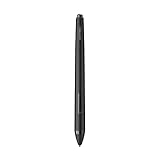
- XP-PEN P06 Passive Pen 8192-level Pen ONLY for XP-Pen Artist12 Deco02
How does it compare with other smart notebooks?
EL PAÍS compared four products in a 2026 Spanish-market test. Its scores are that publication’s comparative recommendations, not standardized industry ratings; its listed prices are dated Spain-focused snapshots, not current quotes.
| Notebook | EL PAÍS recommendation score (2026) | Price listed by EL PAÍS (2026) | Comparison context |
|---|---|---|---|
| XP-Pen Note Plus | 9.25/10 | €84.99 | Flexible A5 paper and straightforward capture |
| Huion Note | 8.75/10 | €99.99 | Compared in the same test; paper and software details differ |
| Moleskine Smart Writing Set | 8.5/10 | €248 | EL PAÍS described it as more feature-rich and more expensive |
| NEWYES SyncPen 4.0 | 8.25/10 | €149.99 | Compared in the same test; paper and software details differ |
The comparison’s practical distinction is less about ranking than workflow: Note Plus favors capturing what you write on flexible A5 paper, while buyers seeking richer editing or other software features should compare each notebook’s specific paper system, app and export options. The scores and prices above come from EL PAÍS’s 2026 comparison.
Best Value
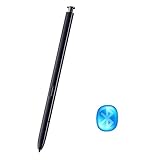
- Work For Samsung galaxy note 10 , Note 10 Plus, Note 10 Ultra
- 100% New and Best Quality. the pen can be detected now when you redesign after 10/10/2018
- This pen come with Remote function, withBluetooth Function.
- About Product: (WithoutBluetooth)4096 levels of pressure sensitivity.Precise touch and control, support all menu functions.Strict inspection one by one before delivery.
- 2 Months warranty, contact seller to free replacement.
Who is the XP-Pen Note Plus for?
The Note Plus is a reasonable fit if you want a conventional paper-writing experience with digital stroke capture, offline use and simple export. It is less suited to someone who expects rushed handwriting to become accurate, finished text automatically, or who needs advanced editing after capture.
For supplies, XP-Pen’s German store lists PH18 replacement nibs and five-pack Note Plus notebooks. The manufacturer says ordinary A5 paper also works, so proprietary notebooks are not stated as a requirement. The German store listing does not establish stock or compatibility in other regions; verify the exact accessory and local availability before ordering. XP-Pen Germany store.
Availability also varies by country. Geizhals recorded CT860B offers through Amazon Marketplace in Germany, including an offer dated 1 August 2026; that is not confirmation of current inventory elsewhere. Geizhals product data.
What’s actually slowing this PC down?
Pick the symptom - the matching free tool is one click away.
Quick Recap

Product prices and availability are accurate as of the date/time indicated and are subject to change. Any price and availability information displayed on Amazon at the time of purchase will apply.




